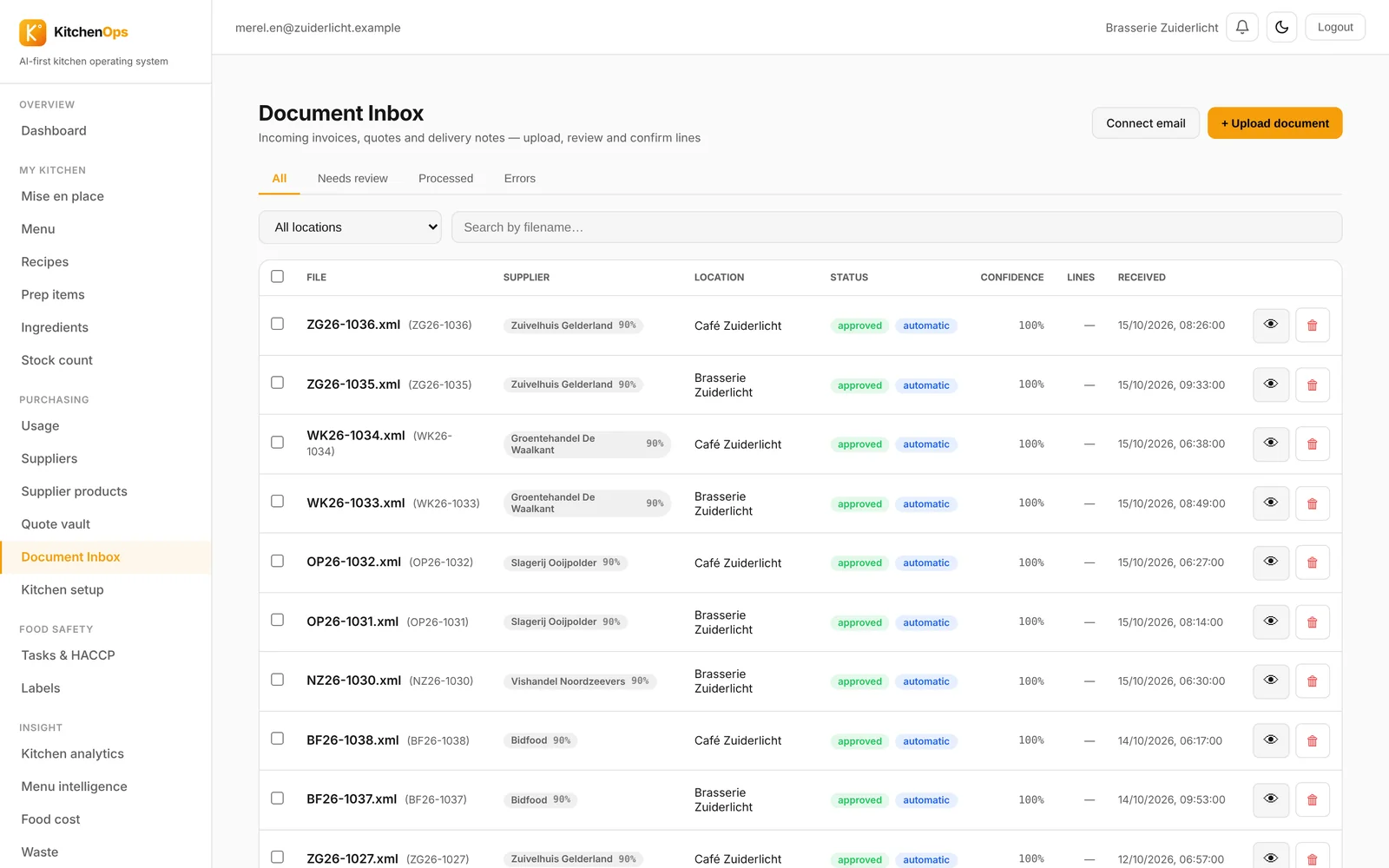
Invoices read themselves
PDF, photo, UBL or Excel. You see what went up straight away.

 HorecaGPTThe AI brain that knows all your numbers.
 TableFlowBookings, gift cards, reviews, sales and marketing.
 KitchenOpsRecipes, costings, invoices and HACCP.
 Guest POSThe cloud POS for restaurants, cafés and events.
 HostCrewRotas, clocking in, hours and HR.
 TheNextReviewGuest feedback before it goes online.
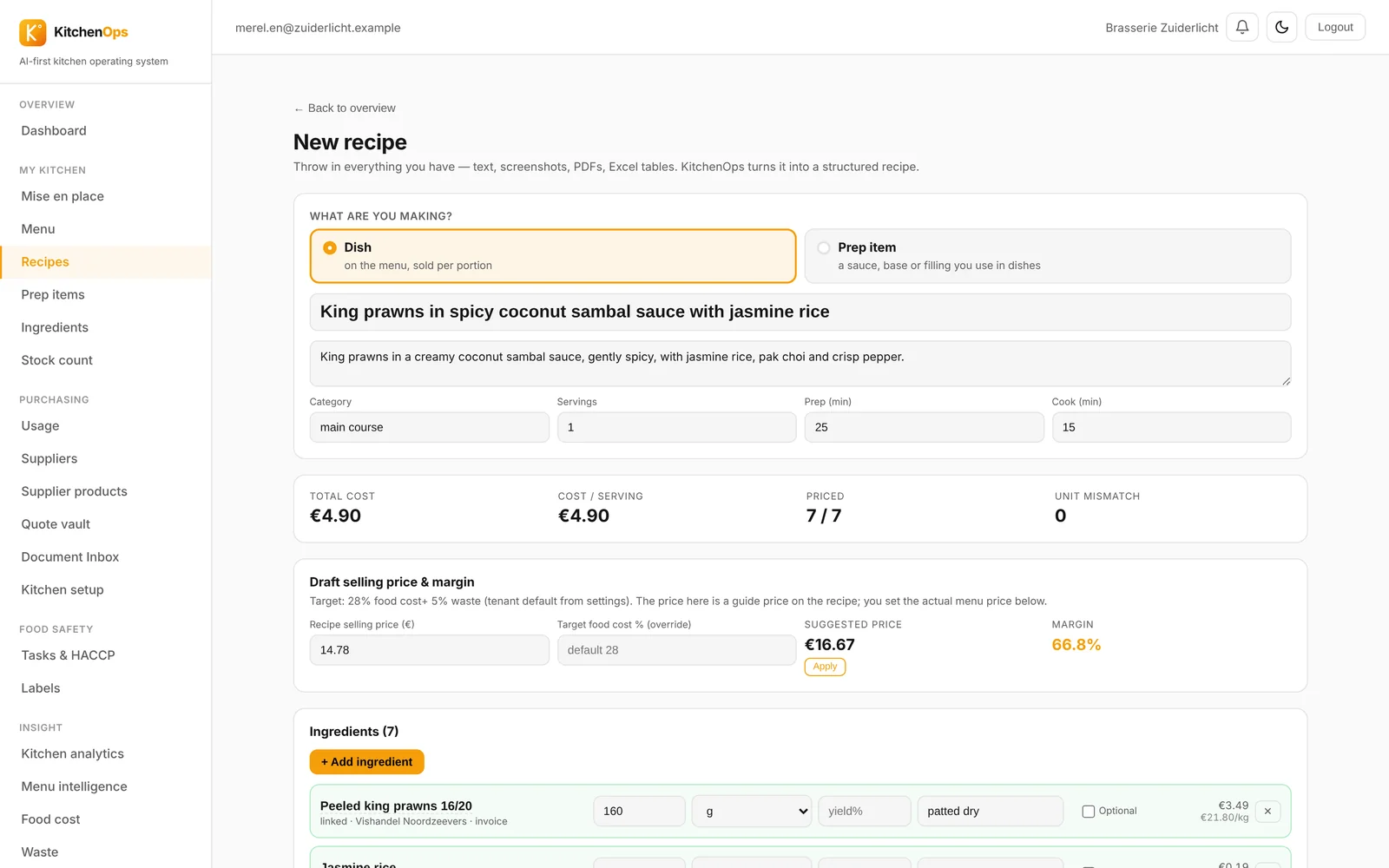
The AI costs it straight away, based on your own supplier prices.
Time: a new dish with known supplier prices.
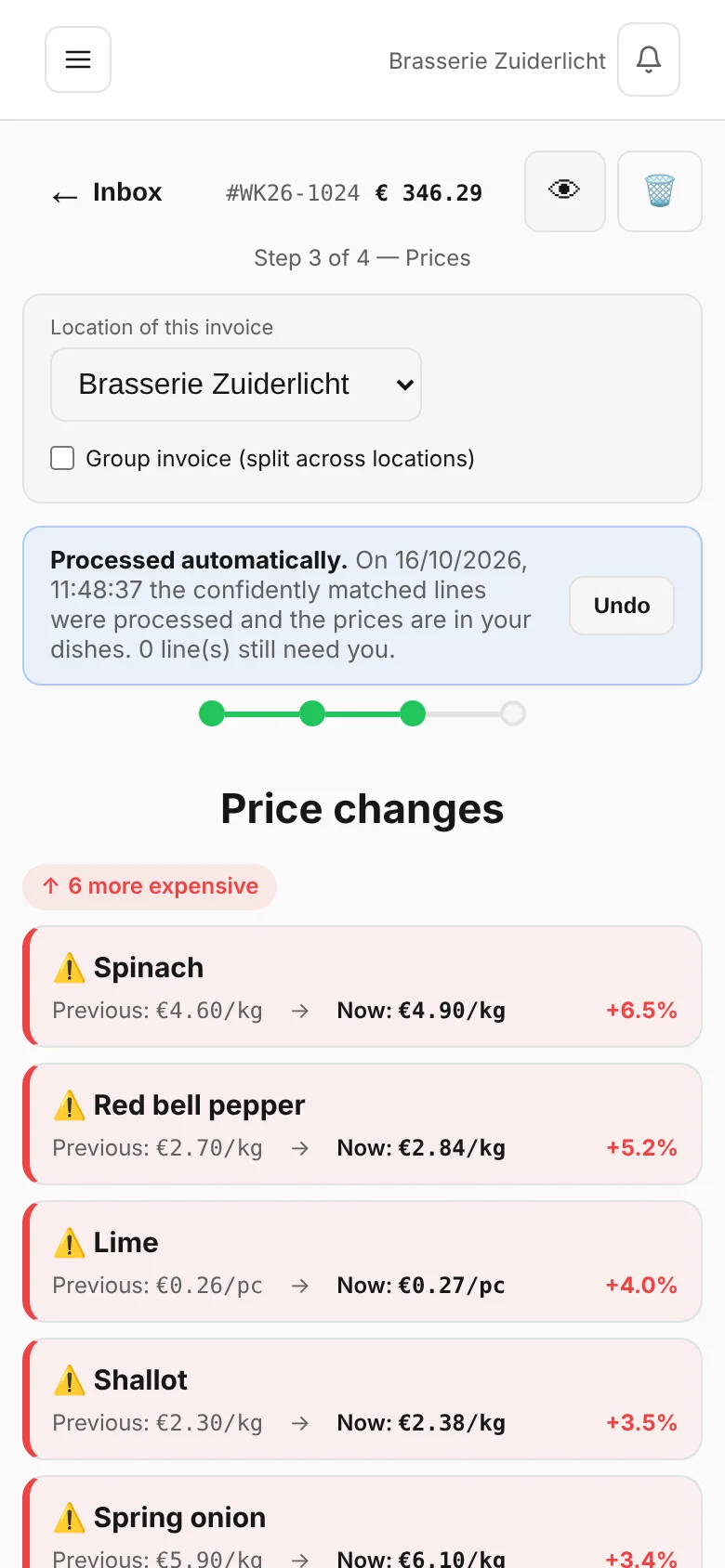
Five suppliers, every price logged. You spot what's gone up straight away.
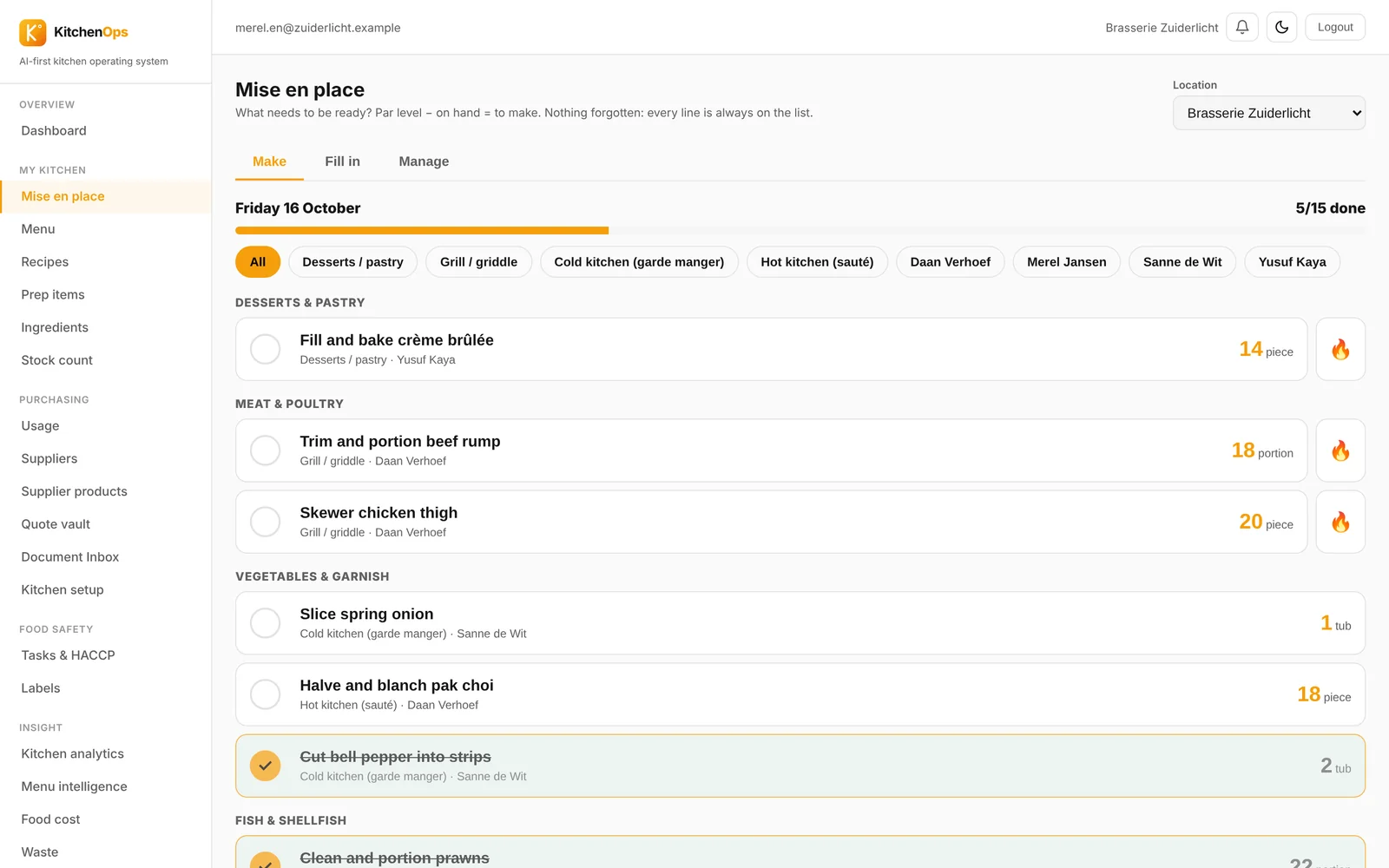
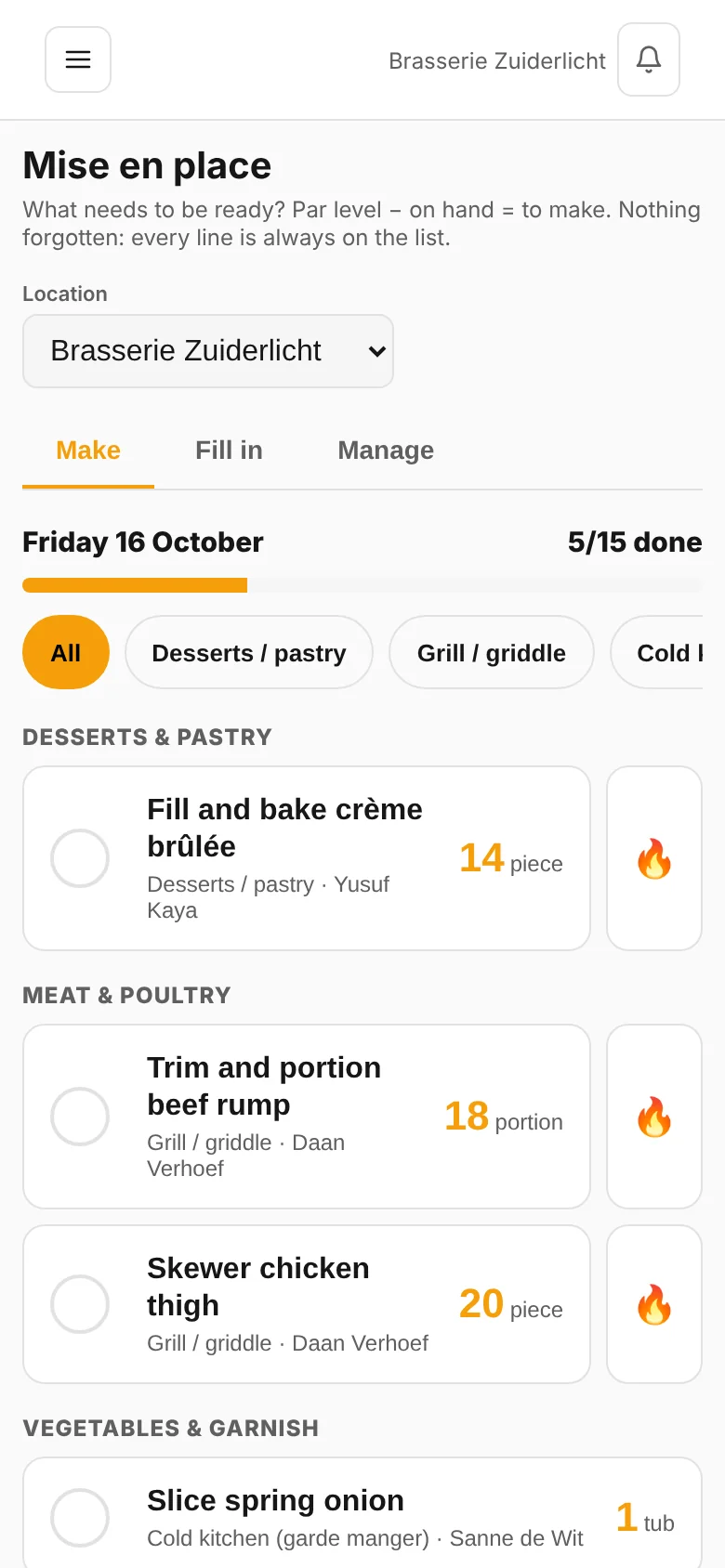
By station and by person.
The AI uses your own supplier prices. Allergens and a suggested price come with it.
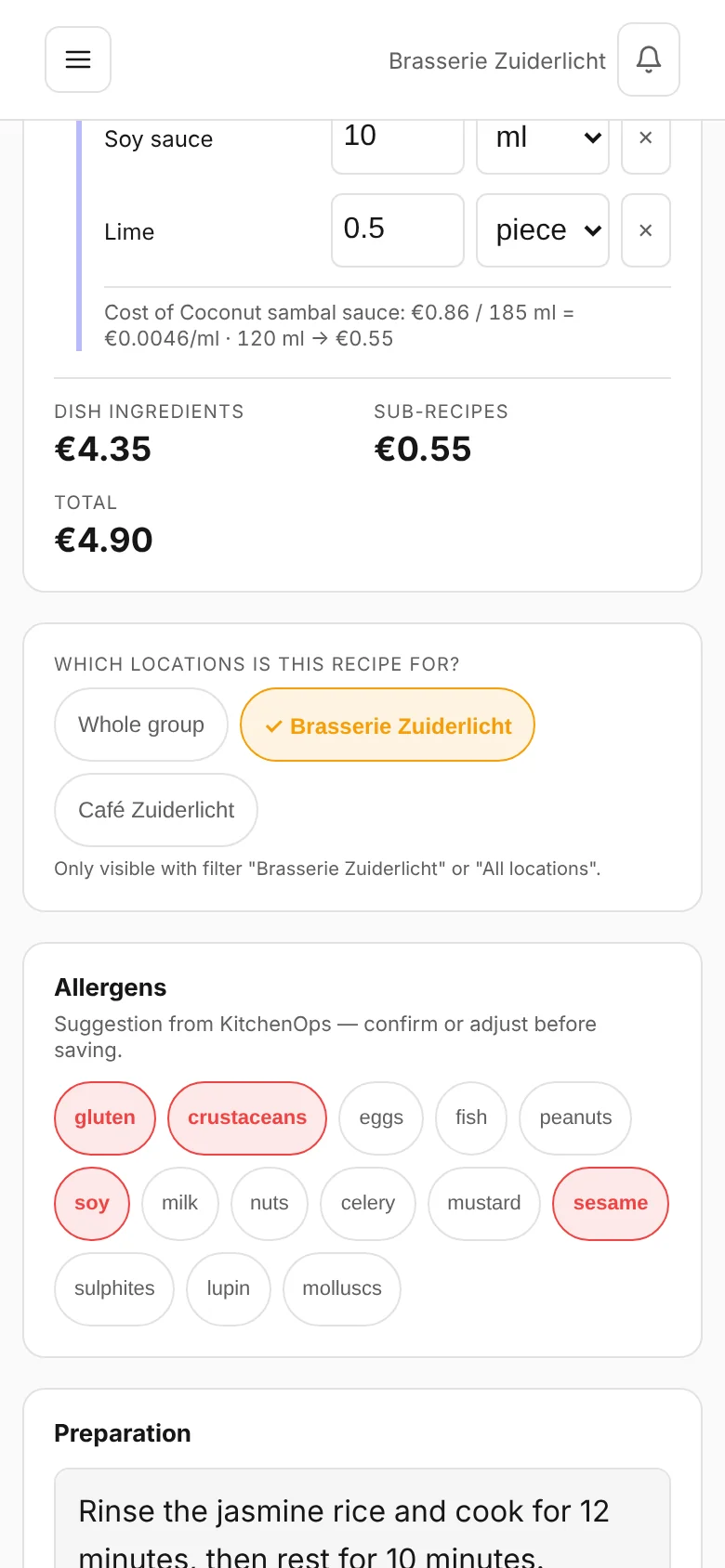
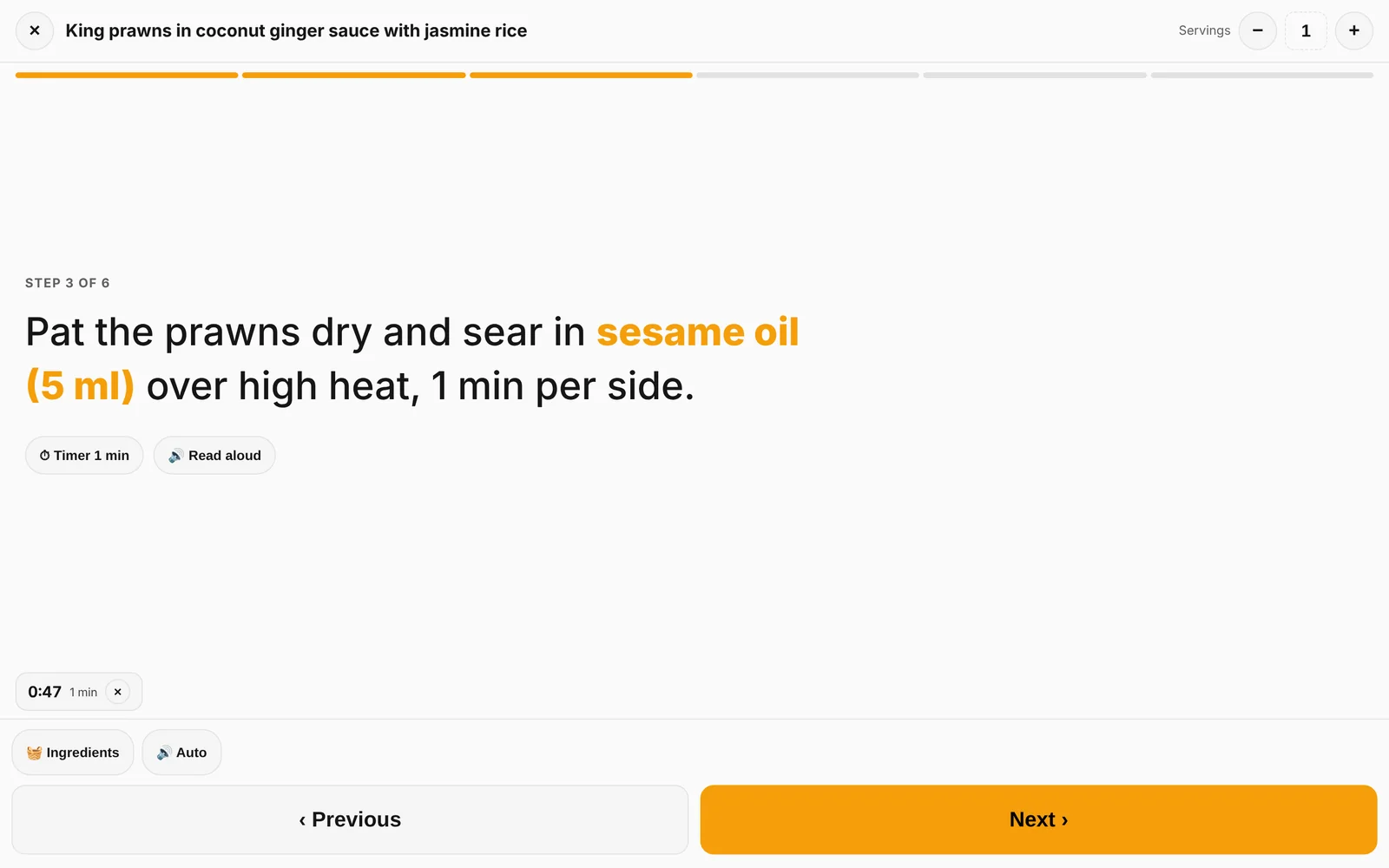
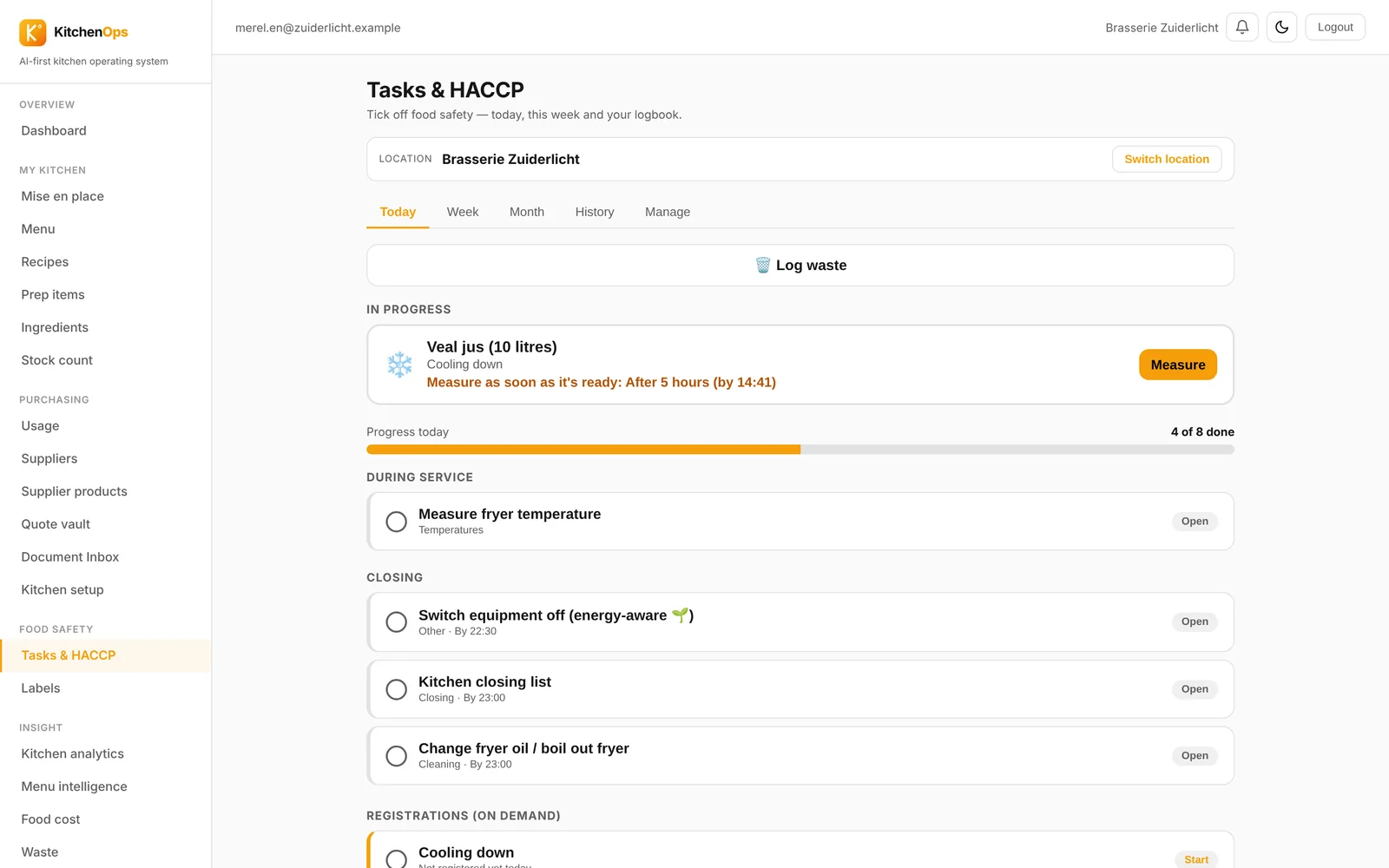
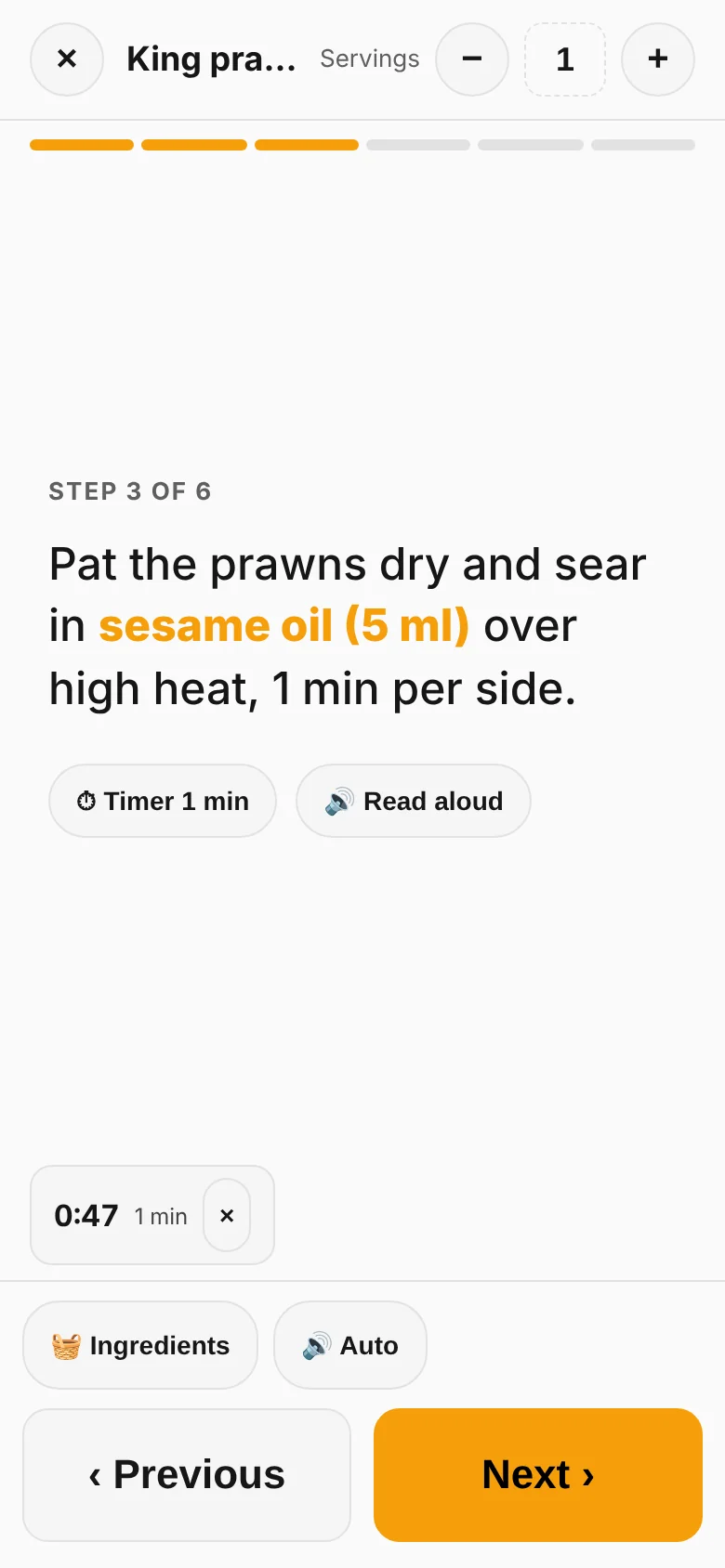
Step by step, with a timer running alongside.
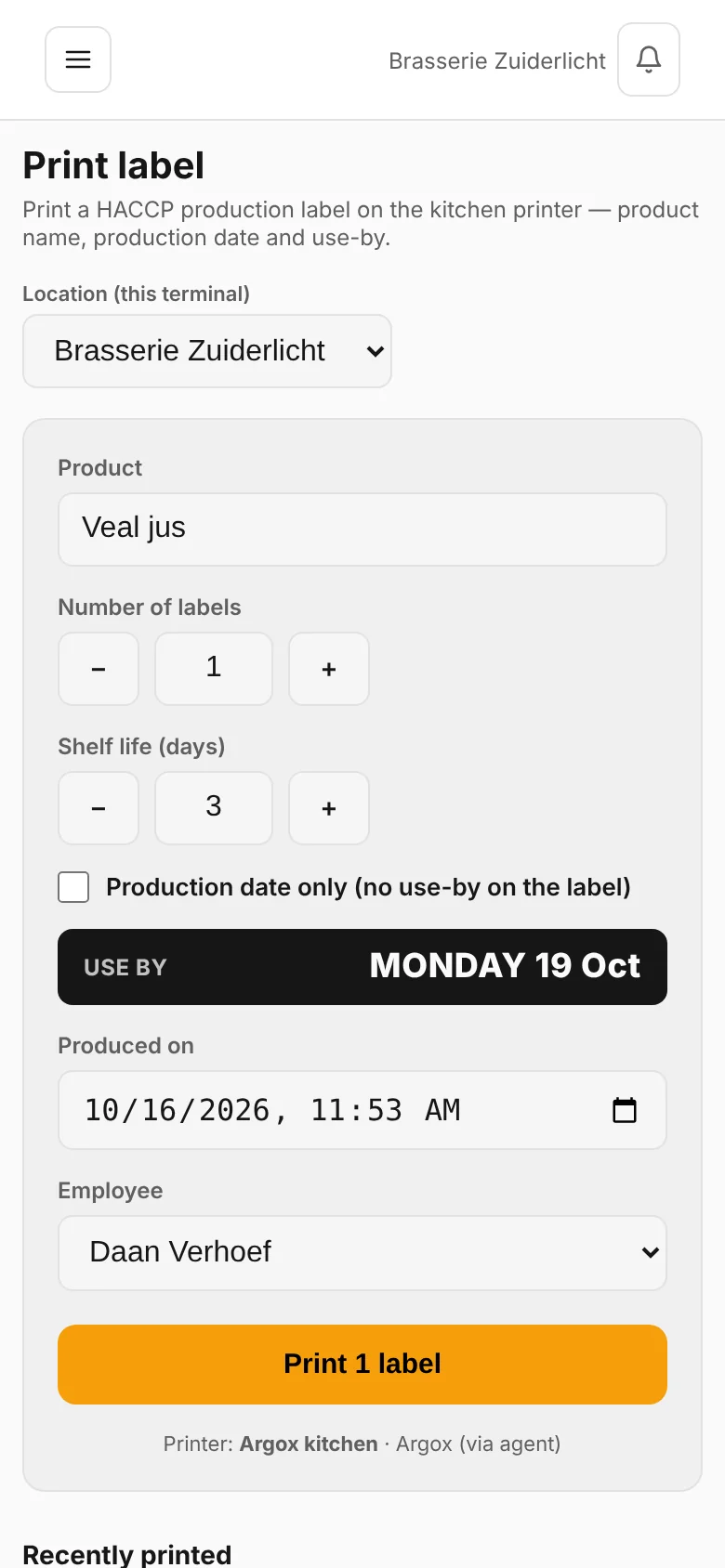
HACCP with a timer, and a label with the use-by date.
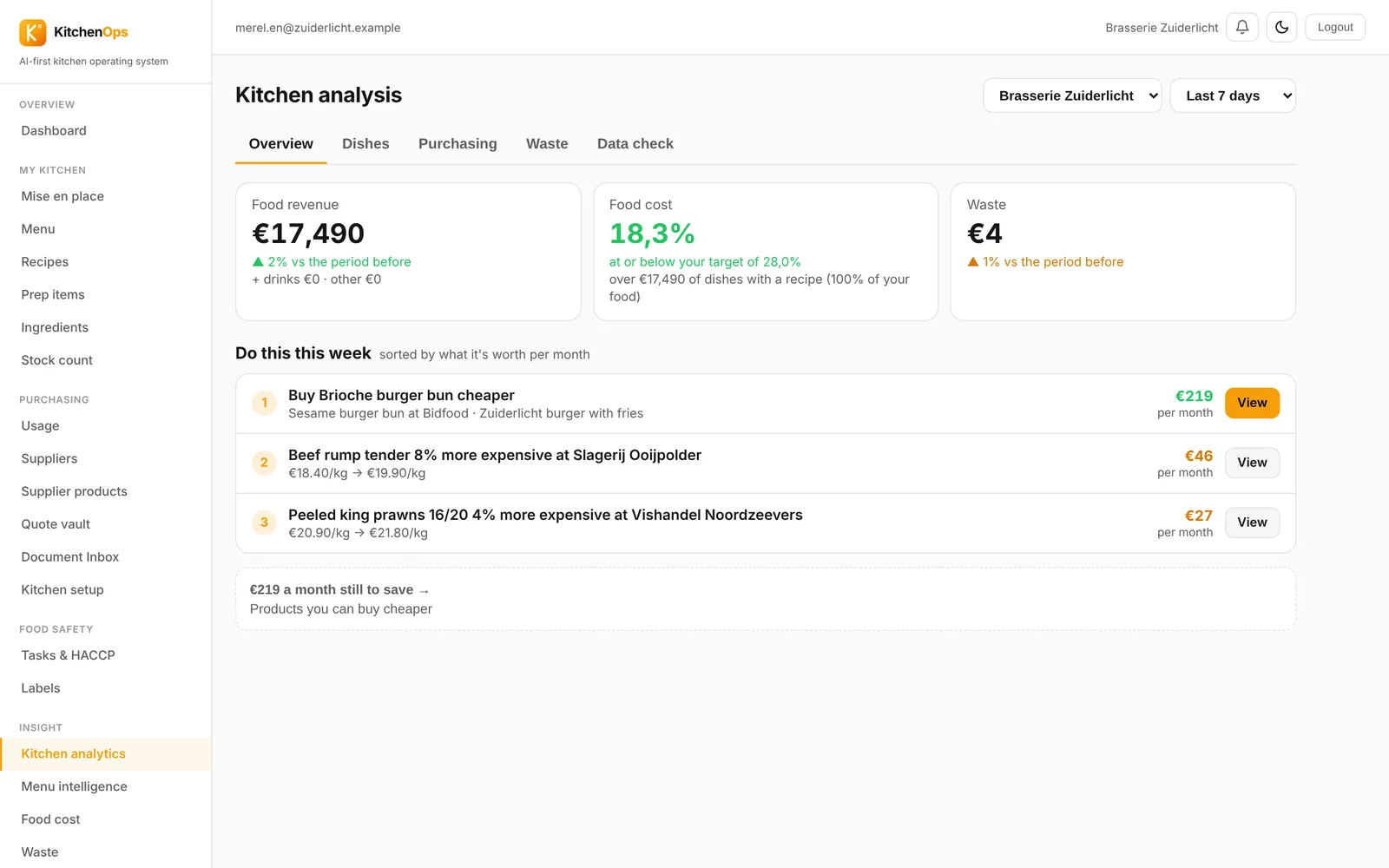
Plus what you can save this week.
Real screens from the app, with a made-up venue.
PDF, photo, UBL or Excel. You see what went up straight away.
If a price is missing, you see it instead of a guess.
From one sentence or a photo, with costing and suggested price.
Deliveries, core temperature and cooling, plus labels with the use-by date.
Recipes included.
Guest POS and unTill connect directly. Other POS systems via a file import.
Within 30 seconds, as long as the supplier prices are known. You create the dish and the AI costs it from your own supplier prices.
Then you'll see it. KitchenOps never calculates with an estimated price.
Guest POS and unTill directly. From other POS systems you import sales with a file.
No. You import existing recipes from PDF, Word or a photo, including a whole menu in one go.
KitchenOps costs 139 euros per location per month for Kitchen and 149 euros for Group, which adds the HorecaGPT and TableFlow integrations and a dedicated contact person, per location rather than per user and excluding VAT. The first 14 days are free.
Each app works on its own. Together, they talk.
HorecaGPTThe AI brain that knows all your numbers.TableFlowBookings, gift cards, reviews, sales and marketing.KitchenOpsRecipes, costings, invoices and HACCP.Guest POSThe cloud POS for restaurants, cafés and events.HostCrewRotas, clocking in, hours and HR.TheNextReviewGuest feedback before it goes online.Try free for 14 days, or book a demo with your own invoices.