





HACCP Software for the Hospitality Industry

HACCP is mandatory, and paper-based registration gets you nothing in return: checklists filled in after the fact, binders nobody can find, and an inspector who wants to see exactly that one record. Digital HACCP takes less time and is always easy to prove.

What works better digitally

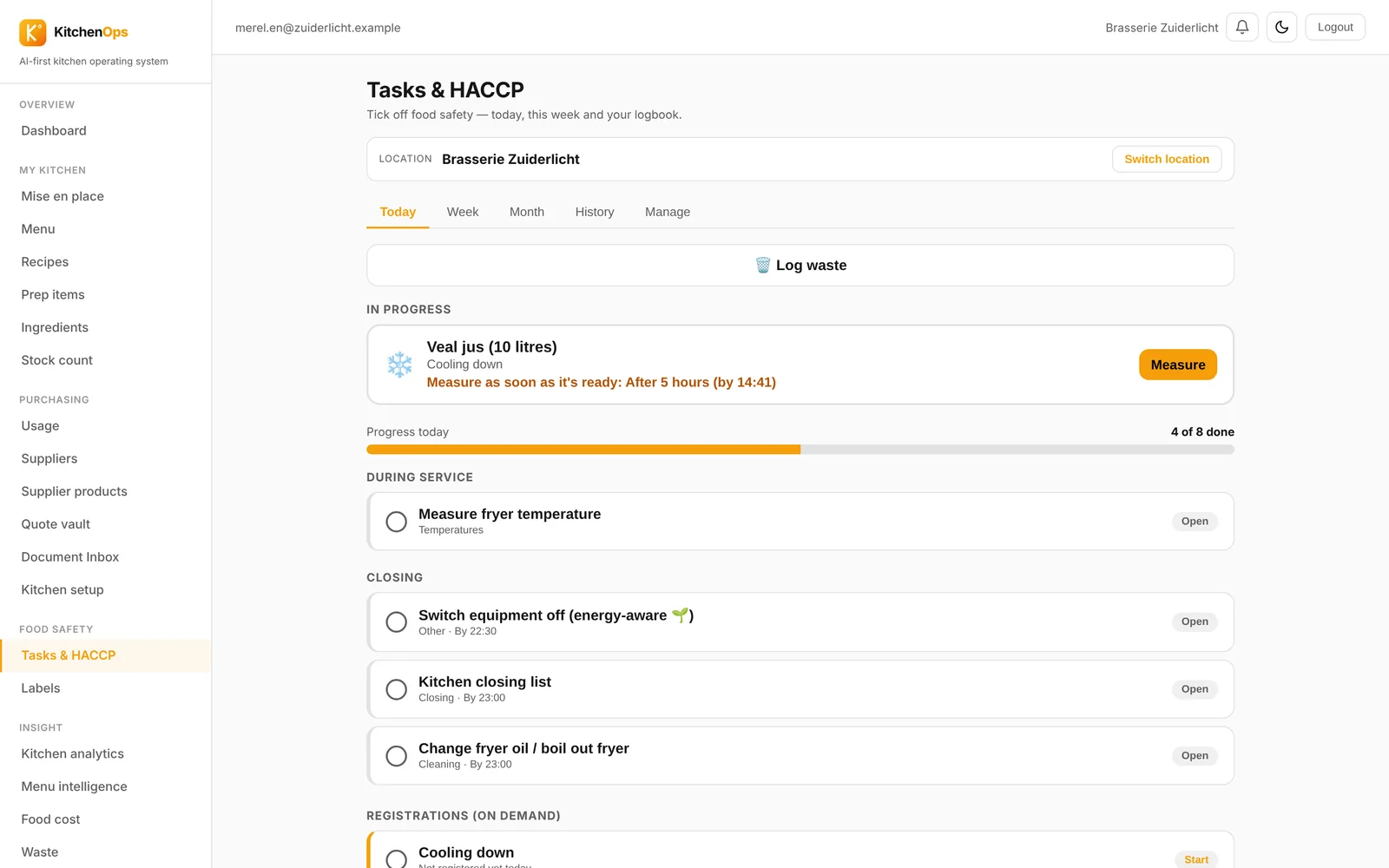
Tasks appear exactly when they need to be done, assigned to the person on duty. You log temperatures, blast chilling and cleaning rounds in a few taps, and the system monitors the limit values. If a reading falls outside the norm, the system asks for the corrective action before the task can be closed, because that is exactly what an inspector wants to see.

Use-by labels that fill themselves in

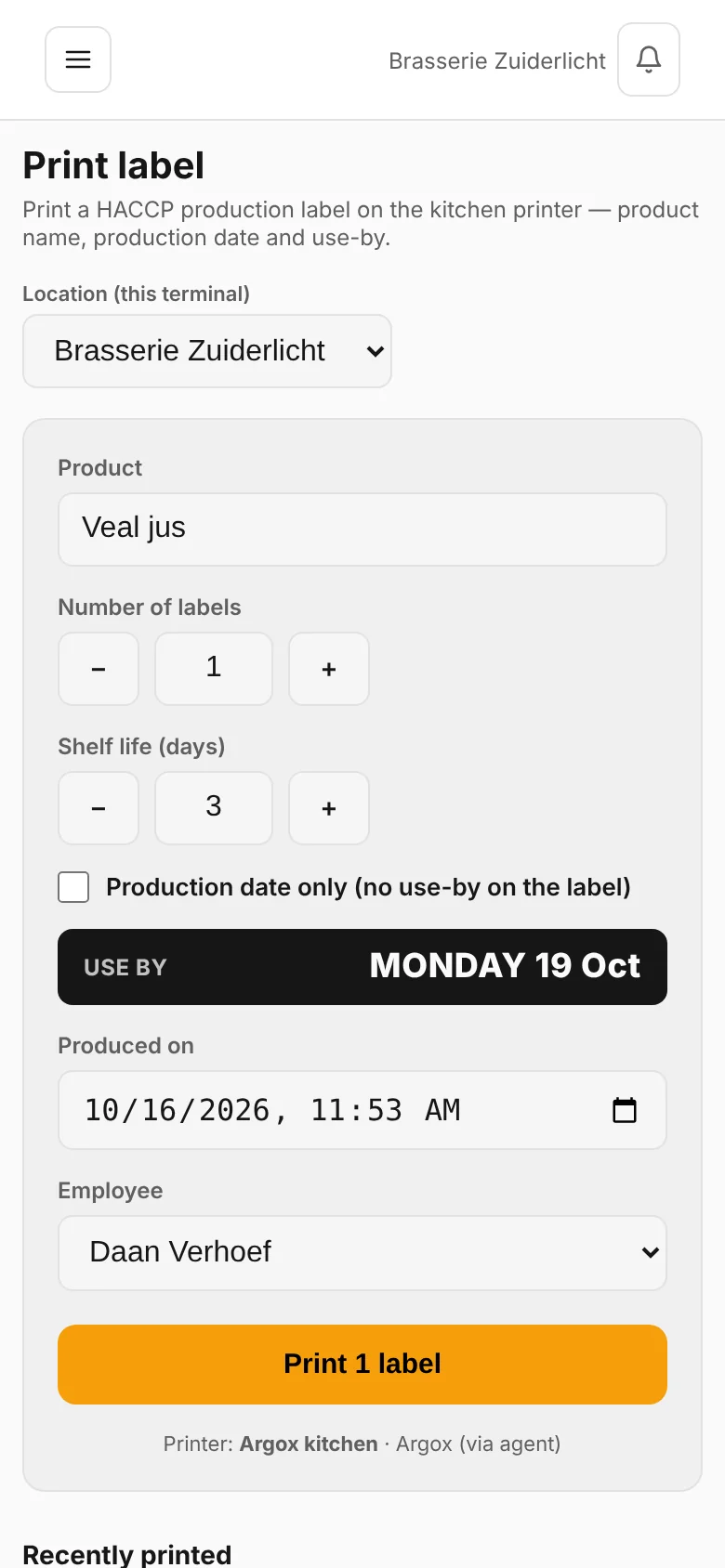
When you pack a product, you print a label with the product name, preparation date, use-by date and the name of the preparer. Because the label is generated from the recipe, the naming is always correct and nobody has to write it by hand with a marker. The record is logged automatically.

Find everything without searching

All records can be searched by day, by location and by staff member. During an inspection you can show what was measured, when, and what was done if something deviated. That saves stress and it saves time when preparing for an audit.

Multiple locations

If you run several venues, you can see per location whether tasks have been completed and where things are falling behind, without having to call everyone. Your team only sees its own location.

Questions? Email hello@horecagpt.com or call +31 24 360 59 14.

Start for free See how it works

Frequently asked questions

Is digital HACCP registration allowed?

Yes. The law requires you to manage food safety and keep demonstrable records, not which medium you use. Digital registration is allowed and in practice easier to prove than paper, because the date, time and staff member are logged automatically.

Which records do I need to keep?

That depends on your business and the hygiene code you follow, but it usually comes down to goods-in checks, fridge and freezer temperatures, core temperatures during cooking, blast chilling, cleaning and use-by dates. KitchenOps sets these tasks ready for you and stores what was measured.

What happens if a temperature is out of range?

The system asks for a corrective action before the task can be completed, for example discarding the product or chilling it down further. That way not only the deviation is recorded but also what you did about it.

Do I need special equipment?

No, a tablet or phone is enough. For use-by labels you use a label printer; if you already have a DYMO or Argox in the kitchen, it will connect.

Read more: Food costing · Recipe management · Menu engineering · Comparison

Updated: 2026-08-08