The operating system for your kitchen

Your kitchen is running full speed.
Meanwhile, your margin is leaking away.

Recipes in minutes. Cost price in seconds. HACCP without folders full of paper. And you're the first to know when a supplier quietly raises prices. KitchenOps gives you your kitchen back, and your margin with it.

Live in 10 minutes Works on every tablet & phone In 6 languages
2 min
from photo to complete recipe
60 sec
to your cost price & margin
0
folders of paper for HACCP
100%
control over supplier prices
Let's be honest

You calculate your foodcost once a year. In an Excel sheet nobody understands. Meanwhile, cream prices rise 12%, fish goes up, and your supplier invoices just a bit more than agreed. You only notice at year end, when the money's already gone.

Not because you can't do it. But because you run a kitchen, not a bookkeeping department. KitchenOps does the math for you, while you cook.

What KitchenOps does for you

Everything that keeps a kitchen profitable and safe, all in one place.

No separate Excels, no folders, no guesswork. Just cook, the rest takes care of itself.

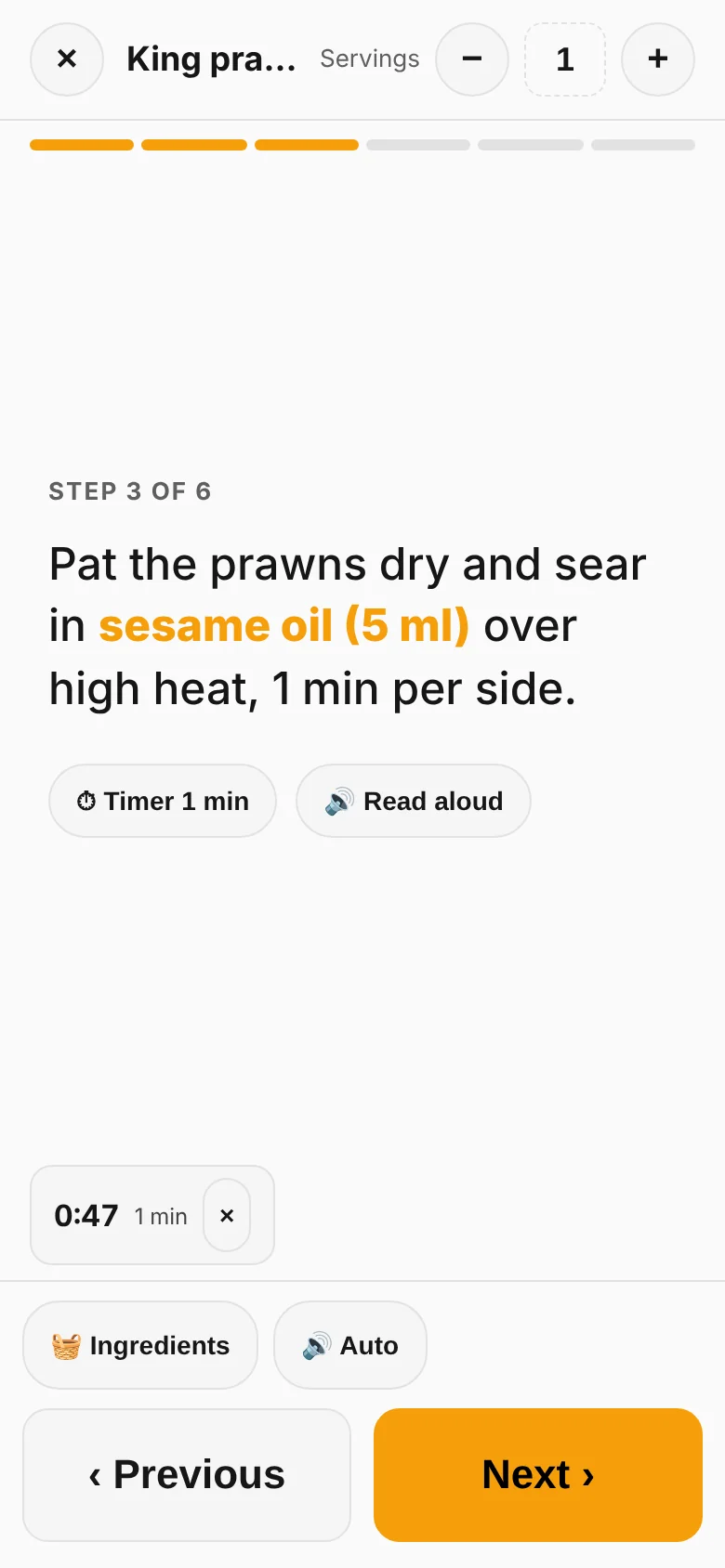
Recipes in minutes

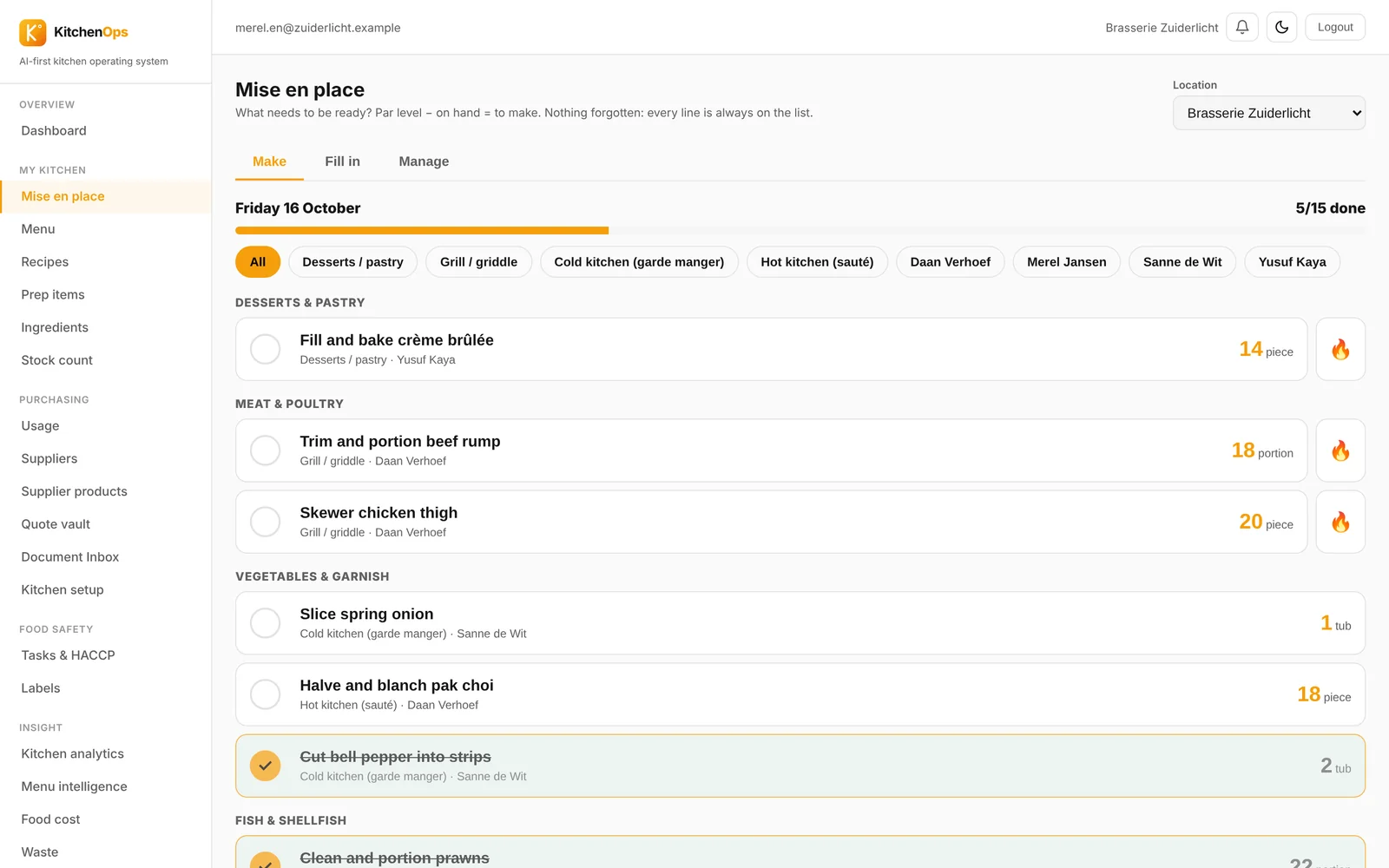
Photograph, paste or type your dish, it's instantly complete in the system. Sauces and dressings are automatically saved as semi-finished products, each with their own cost price.

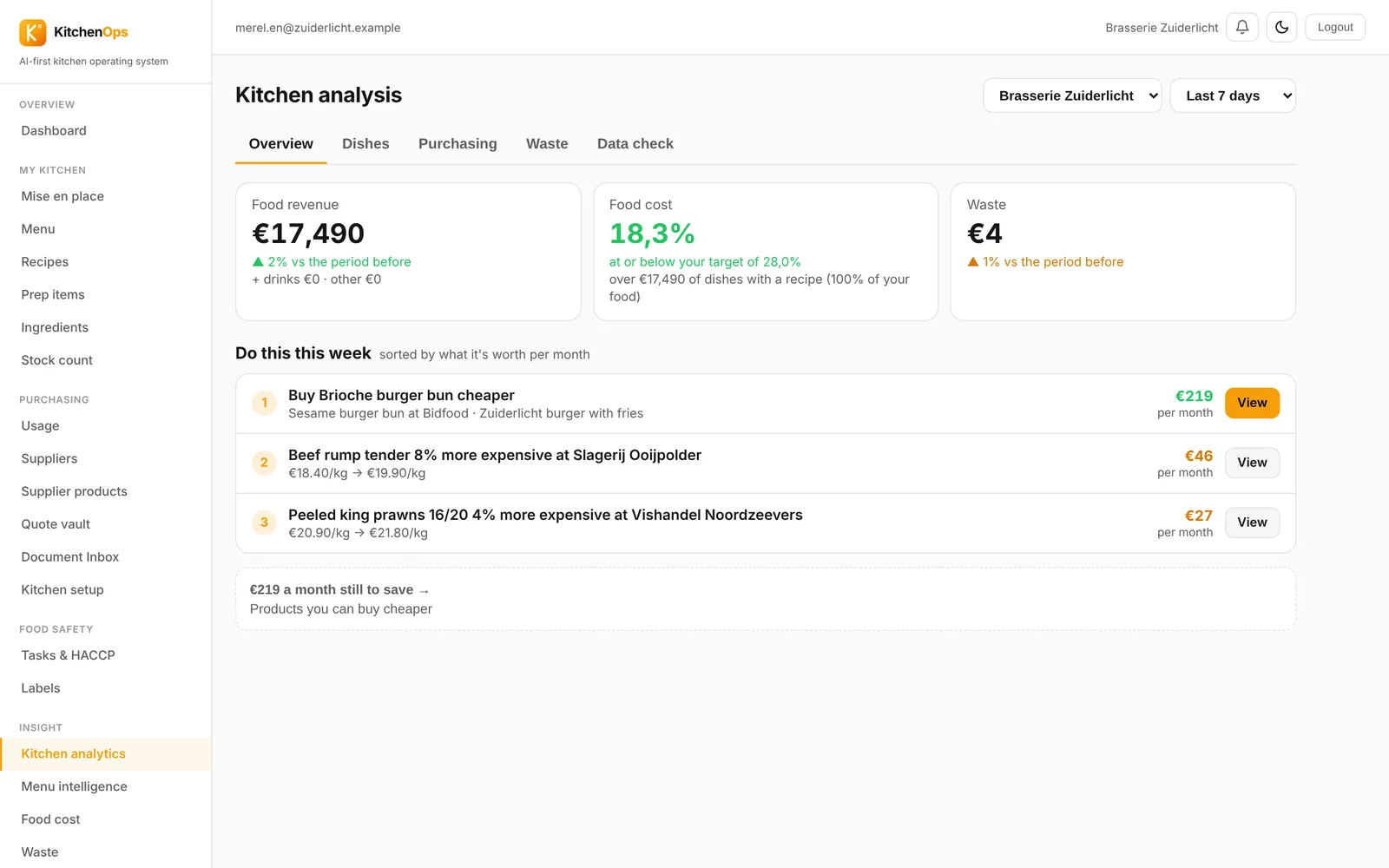
Cost price in seconds

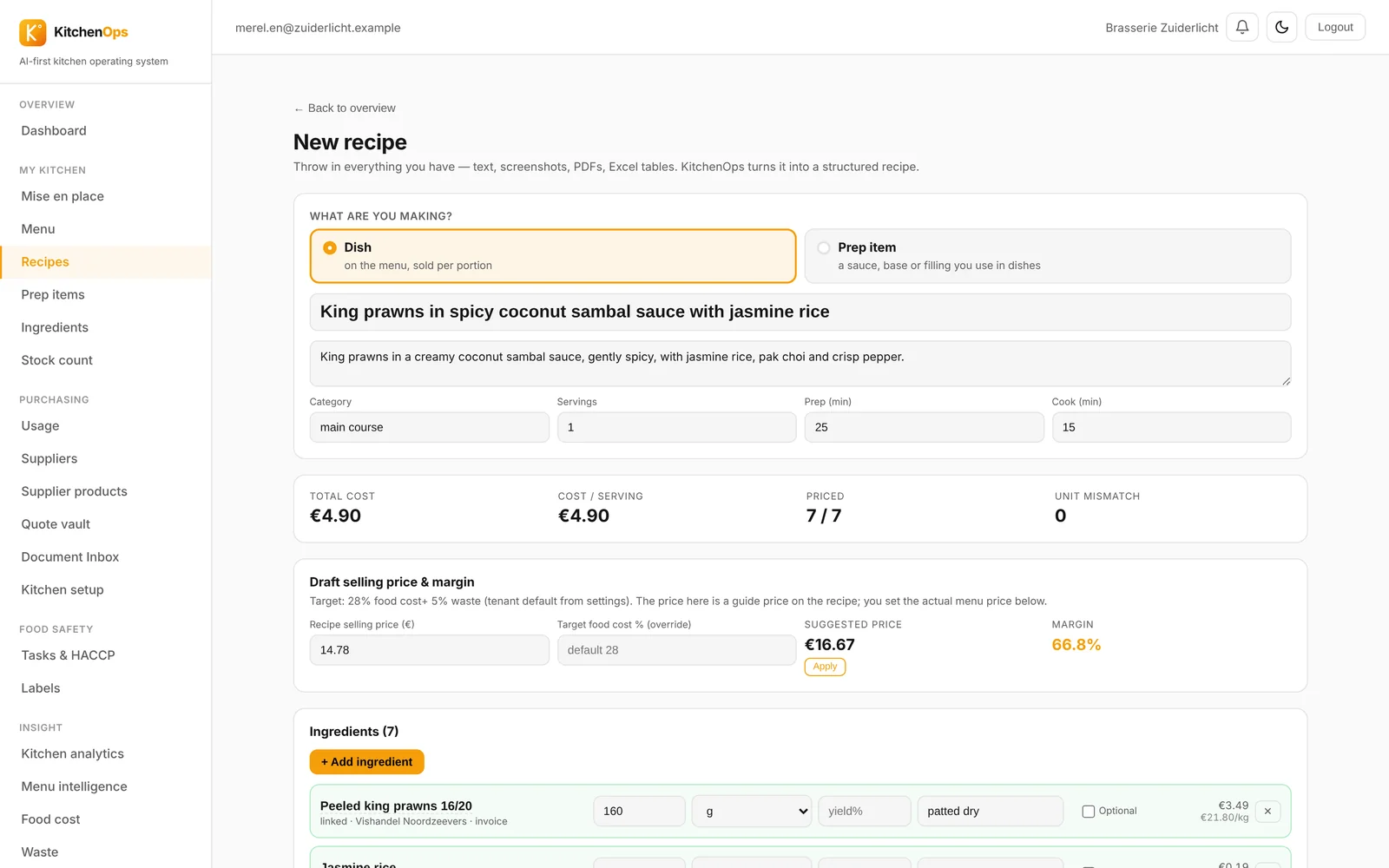
See exactly what each dish costs and what margin it brings. Every new invoice updates your prices automatically. Never guess your selling price again.

📄

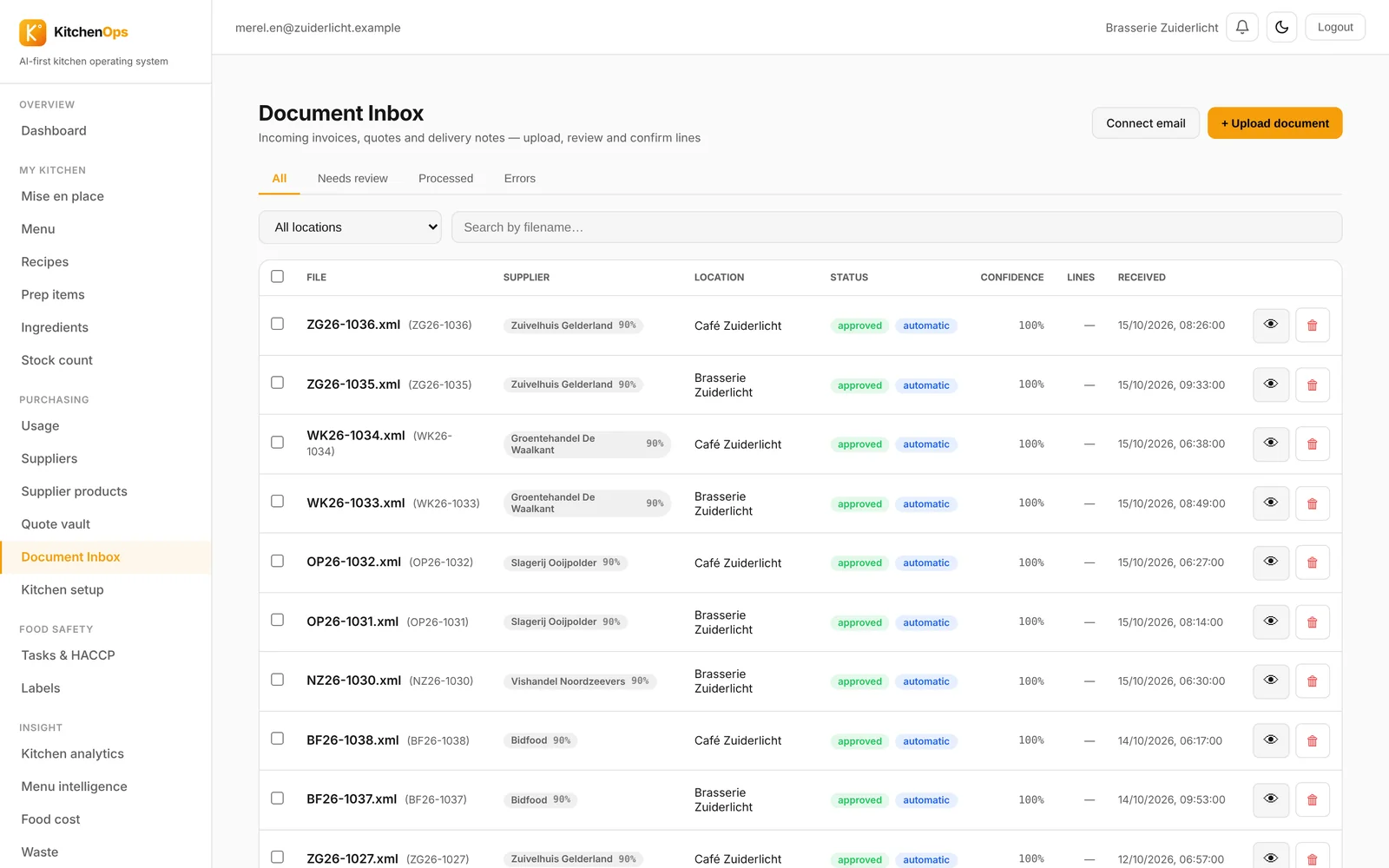
Invoices in no time

Drop in your invoices, KitchenOps reads them, links the products and applies the prices to the right ingredients. All you have to do is confirm.

🚨

Control over your suppliers

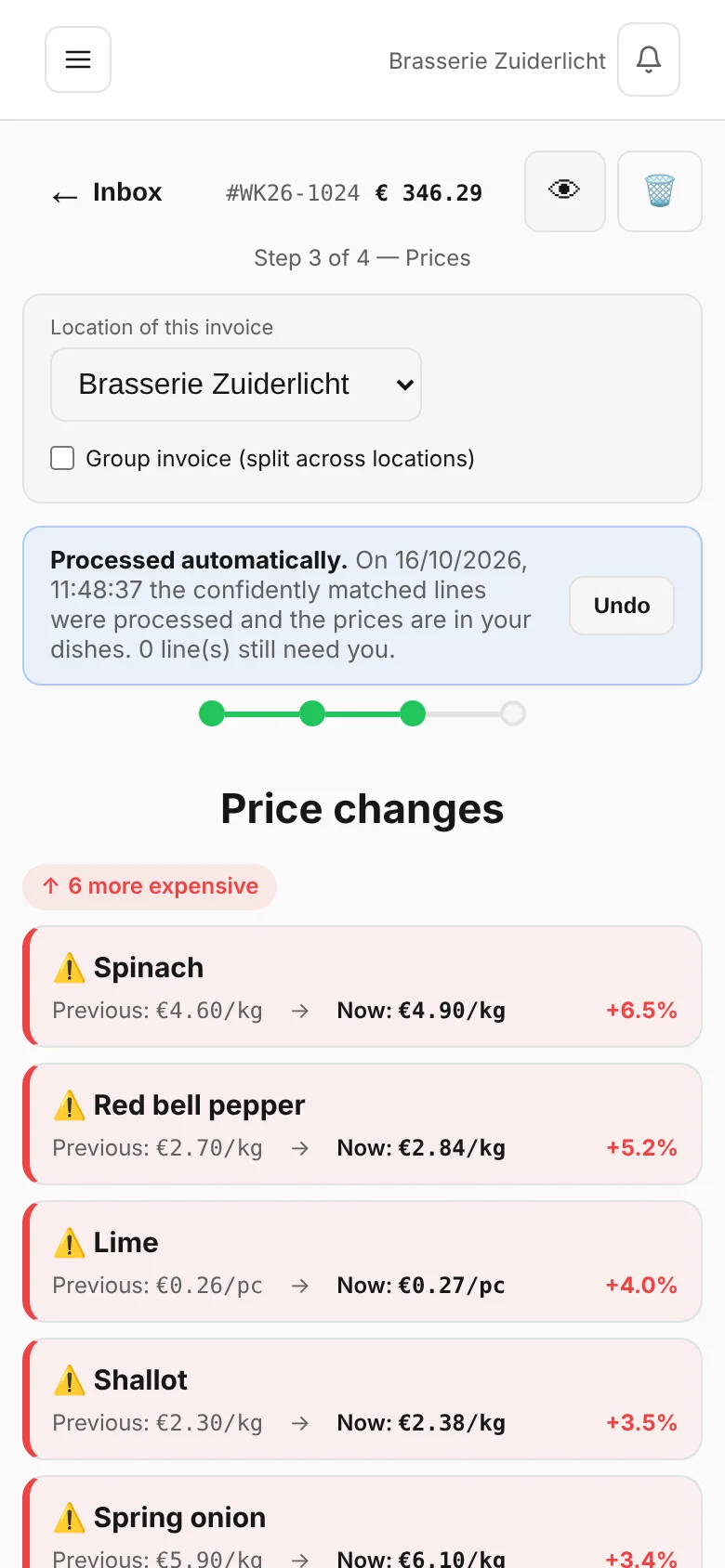
Does your supplier quietly raise prices by 8%? You'll spot it before they mention it. Price increases, deviations and hidden markups: instantly visible.

🤝

Quotes that check out

Agreed on €9.40 but invoiced €11.20? KitchenOps compares your quotes to your invoices and highlights every deviation in red. You won't leave a cent on the table.

🛡️

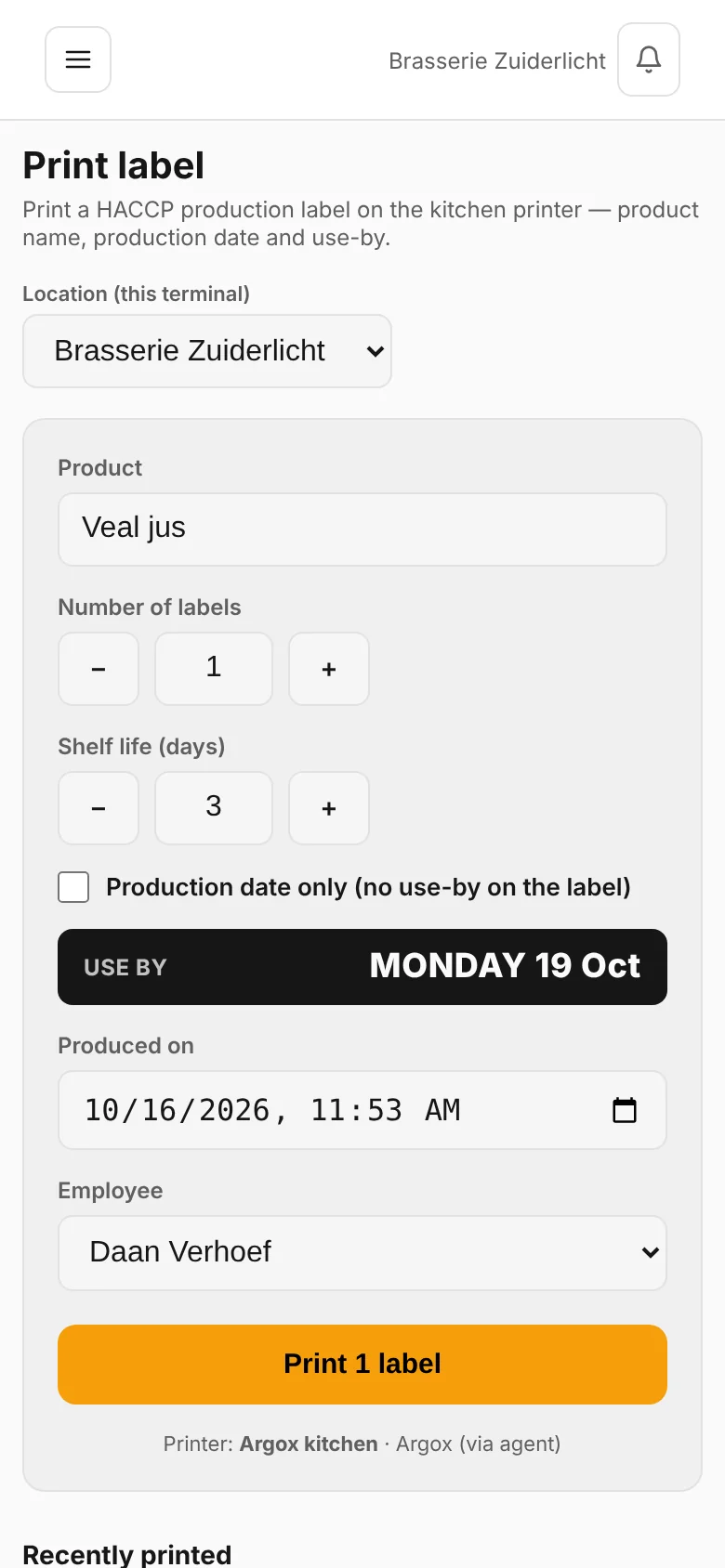
HACCP without hassle

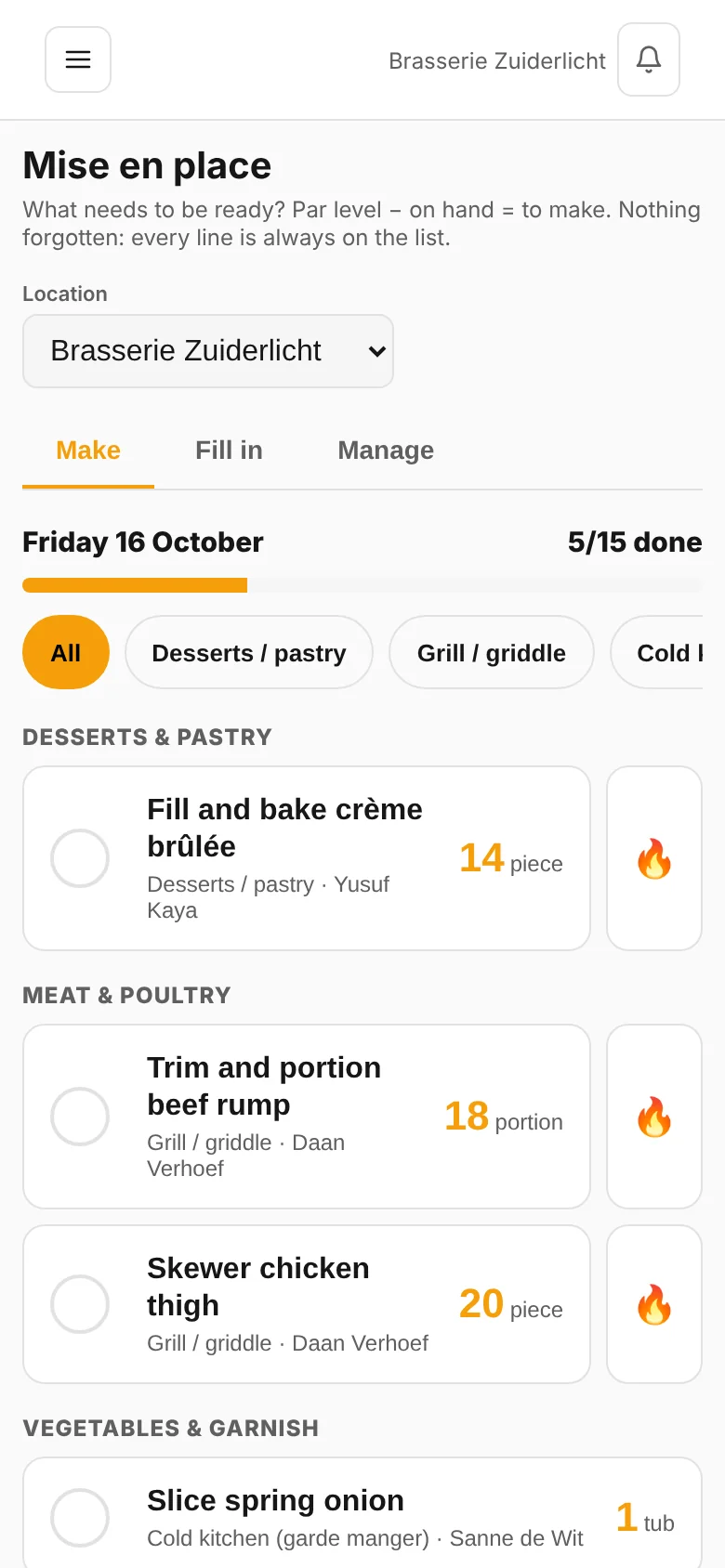
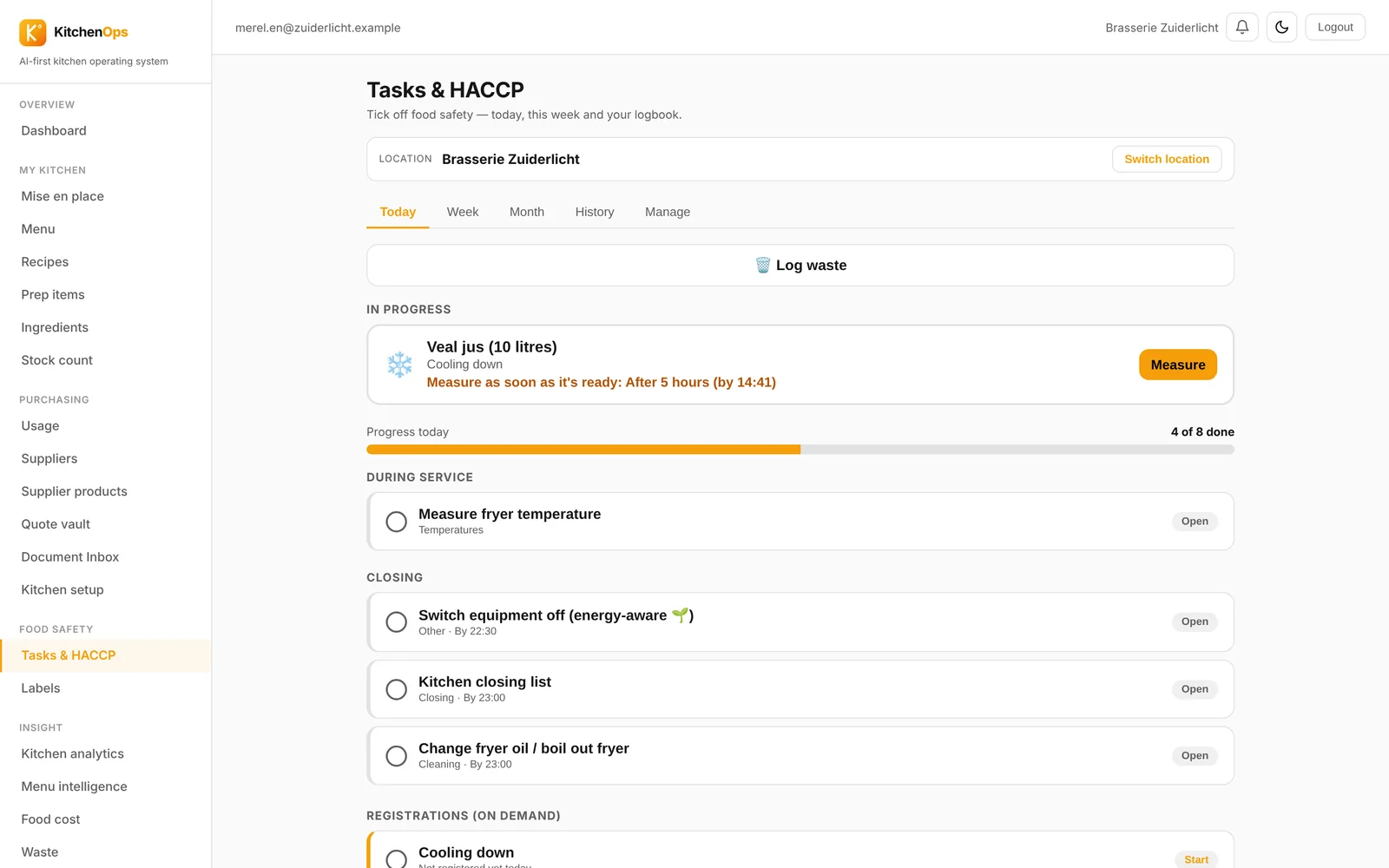
Temperatures, receiving, cleaning and registrations, ready to go according to the Hygiene Code. Your chef checks it off on the tablet, you stay audit-proof.

📊

Menu engineering

Which dishes earn you money and which cost you money? See your margins per menu and adjust where it counts.

📱

Works everywhere

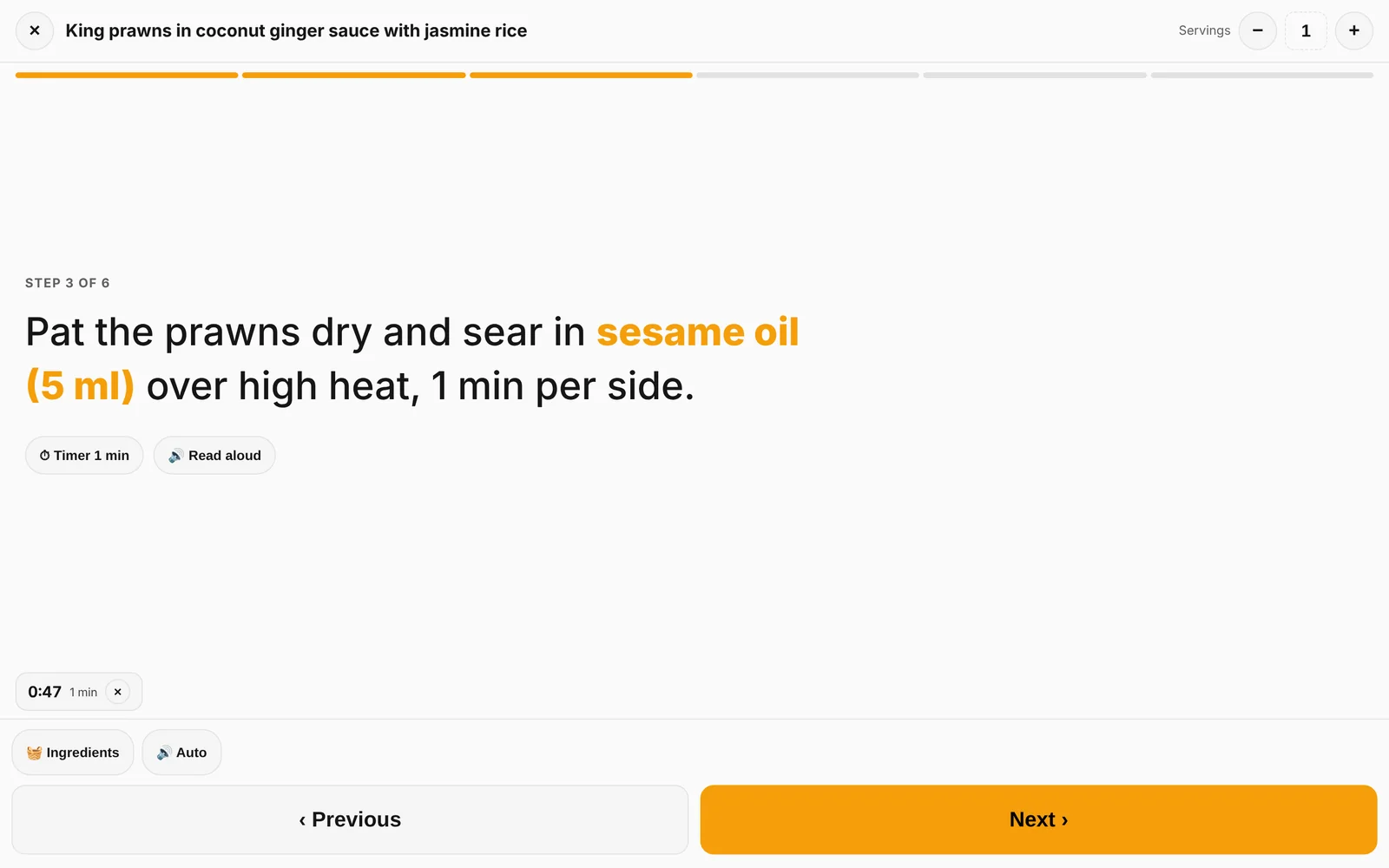
At the pass, in the storeroom, at home on the couch. Phone, tablet, laptop, always the same up to date figures. In 6 languages for your whole brigade.

🤖

Recipes with AI

Paste a text, photo or PDF and KitchenOps turns it into a complete recipe, with ingredients, quantities and cost price. Or build it manually, your choice.

Recipe → cost price

From scribbled notes to cost price before the receipt goes cold.

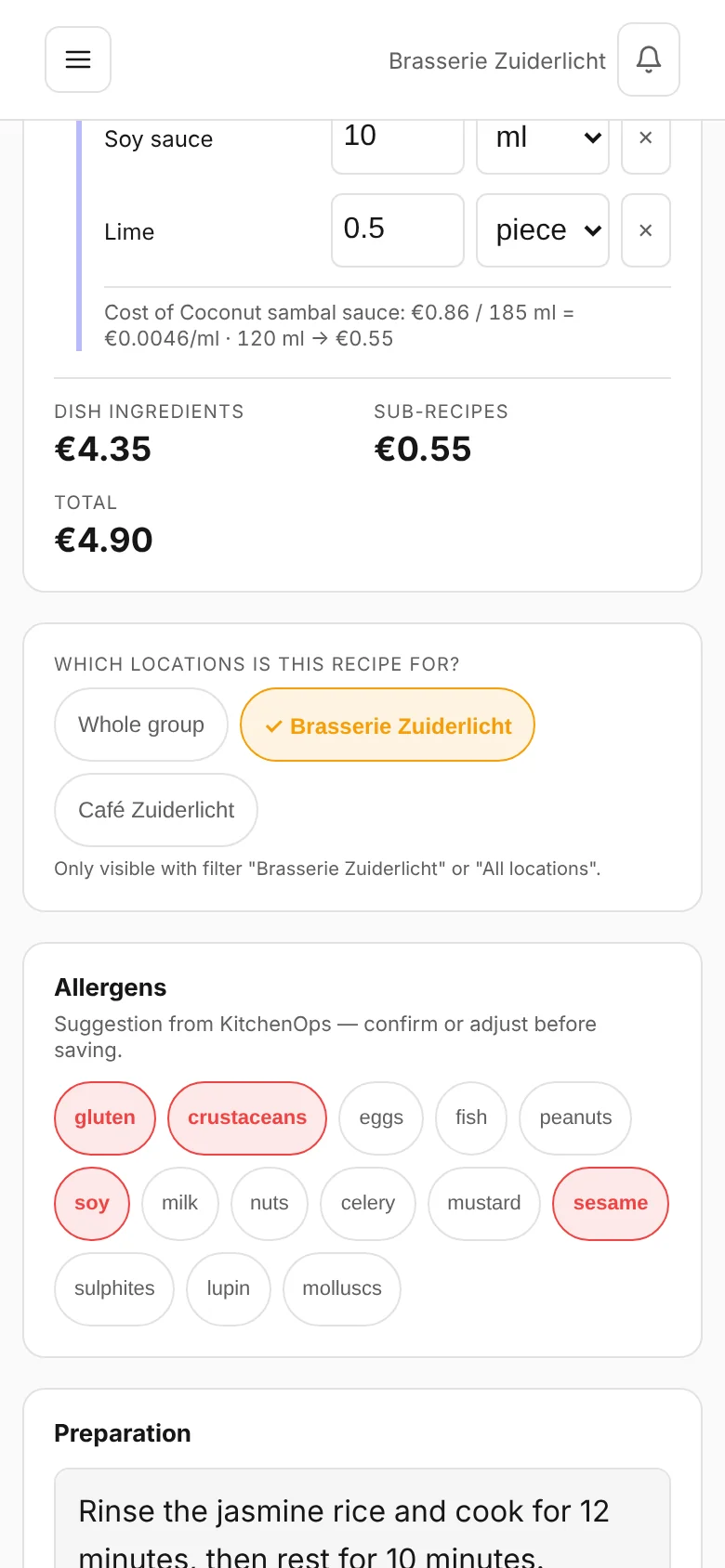
Take a photo of your recipe book or paste a block of text. KitchenOps extracts the ingredients, links them to your purchasing data and instantly calculates your cost price and margin.

  • Sauces & stocks separate, with their own batch yield
  • Allergens automatically suggested
  • Recommended price based on your foodcost target
Purchasing under control

Your supplier raises prices. You know it first.

Every invoice that comes in is read, checked and compared against your agreements. Silent price increases, deviations from your quote, double-billed lines: all visible immediately.

  • Price changes per ingredient, with history
  • Quoted price next to invoice price, deviation shown in red
  • Negotiate with numbers instead of gut feeling
"I knew I was losing margin. I just didn't know where. Within a week I saw it: three products had quietly gotten more expensive. That's a keg of beer a day."
Chef and owner, restaurant with 2 locations
How it works

Live within your coffee break.

1

Throw in what you have

Recipes, invoices, your menu. Photo, PDF or text: KitchenOps turns it into structured data.

2

Confirm once

You review the suggestions, tick them off and you're done. After that, everything updates automatically with each new invoice.

3

Cook with control

Cost prices, margins, HACCP and price alerts run in the background. You only see what matters.

Integrations

Connect KitchenOps to the rest of your business.

Your till, your reservations and your AI advisor: let your kitchen numbers work for you.

View all integrations
What it costs

Pays for itself the first time you catch a price increase.

Start free. Grow as your kitchen does.

Starter

€79 / month
  • Recipes and cost price (manual)
  • Menus
  • Dashboard and insight
  • Mobile and tablet · unlimited users
Try free for 14 days
Most popular

Pro

€149 / month
  • Everything in Starter
  • AI recipe generation
  • Invoice scanning and suppliers
  • Quote vault and price alerts
  • HACCP tasks and records
  • Menu engineering and kitchen analysis
Try Pro

Enterprise

€349 / month
  • Everything in Pro
  • HorecaGPT and TableFlow integrations
  • Dedicated support
  • Unlimited users · add extra locations
Schedule a call

Stop guessing on your foodcost.

Every day without control is a day your margin slips away. Turn on KitchenOps tonight and see tomorrow where your money is going.

Start free, today ↗

Frequently asked questions

What is kitchen management software?

Kitchen management software digitises everything that happens behind the scenes in a professional kitchen: recipes, food costing, purchasing, HACCP records and stock. KitchenOps links those parts together, so you see per dish what it really costs and earns.

How much does kitchen management software cost?

KitchenOps costs 79 euro per month for Starter, 149 euro for Pro including POS and supplier connections, and 349 euro for Enterprise with multiple sites. You pay per location, not per user, and you can start for free.

How does automatic food cost calculation work?

Supplier invoices and price lists are read automatically and linked to your ingredients. When a purchase price changes, the cost price of every dish containing that ingredient changes with it, in the same week, including an alert for dishes that drop below your target margin.

Can I switch from another kitchen management system?

Yes. We import your existing recipes from PDF, Word or even a photo, usually a full menu in one afternoon. You can run KitchenOps alongside your current system before cancelling anything, because starting is free.

Does KitchenOps work with my POS and suppliers?

Yes. KitchenOps connects to POS systems such as unTill for sales figures per dish, imports Bidfood price lists automatically and processes invoices from any other supplier via photo or PDF.