






Recipe management

Recipe Management for Professional Kitchens

Recipes are the memory of your kitchen. If that knowledge lives only in a sous chef's head or in a binder by the pass, it walks out the door with him and everyone ends up cooking it slightly differently. Digital recipes turn every dish into a fixed standard, with the food cost built right in.

Van foto naar receptuur
1. Foto van je receptenmap of een PDF
2. Ingrediënten, bereiding en allergenen eruit gehaald
3. Kostprijs gekoppeld aan je eigen inkoopprijzen
4. Klaar voor de werkvloer, op tablet
Een complete kaart staat er meestal in een middag in.

Why this matters more now than five years ago

Eighty percent of hospitality operators name staff shortages as their biggest problem, and that isn't going to resolve itself anytime soon. It means running with smaller teams, more temp staff and more new hires. A kitchen that relies on word of mouth loses time and quality every single week. But if the dish is on screen with a photo, exact weights and prep steps, even someone on their first shift can plate it the way it's meant to be.

What belongs in a recipe card

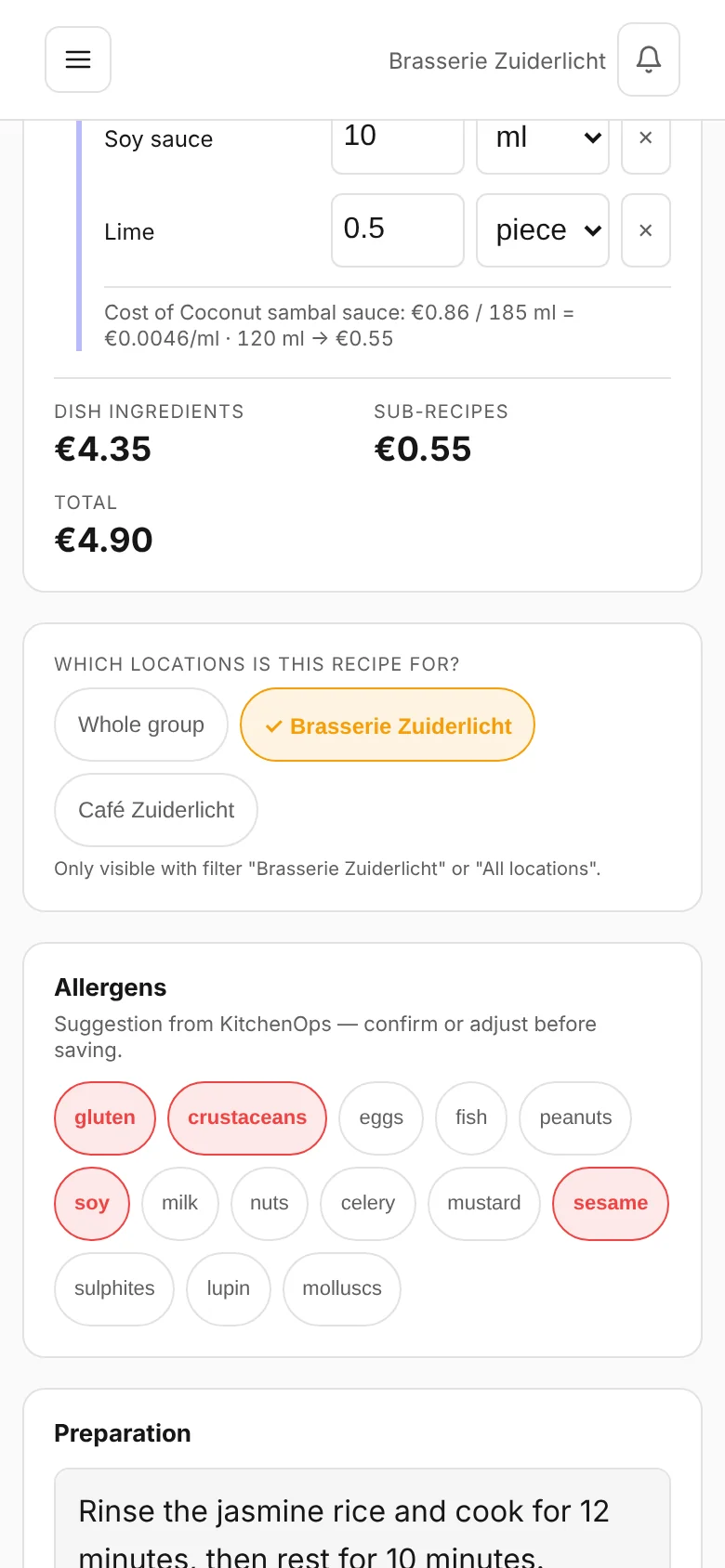
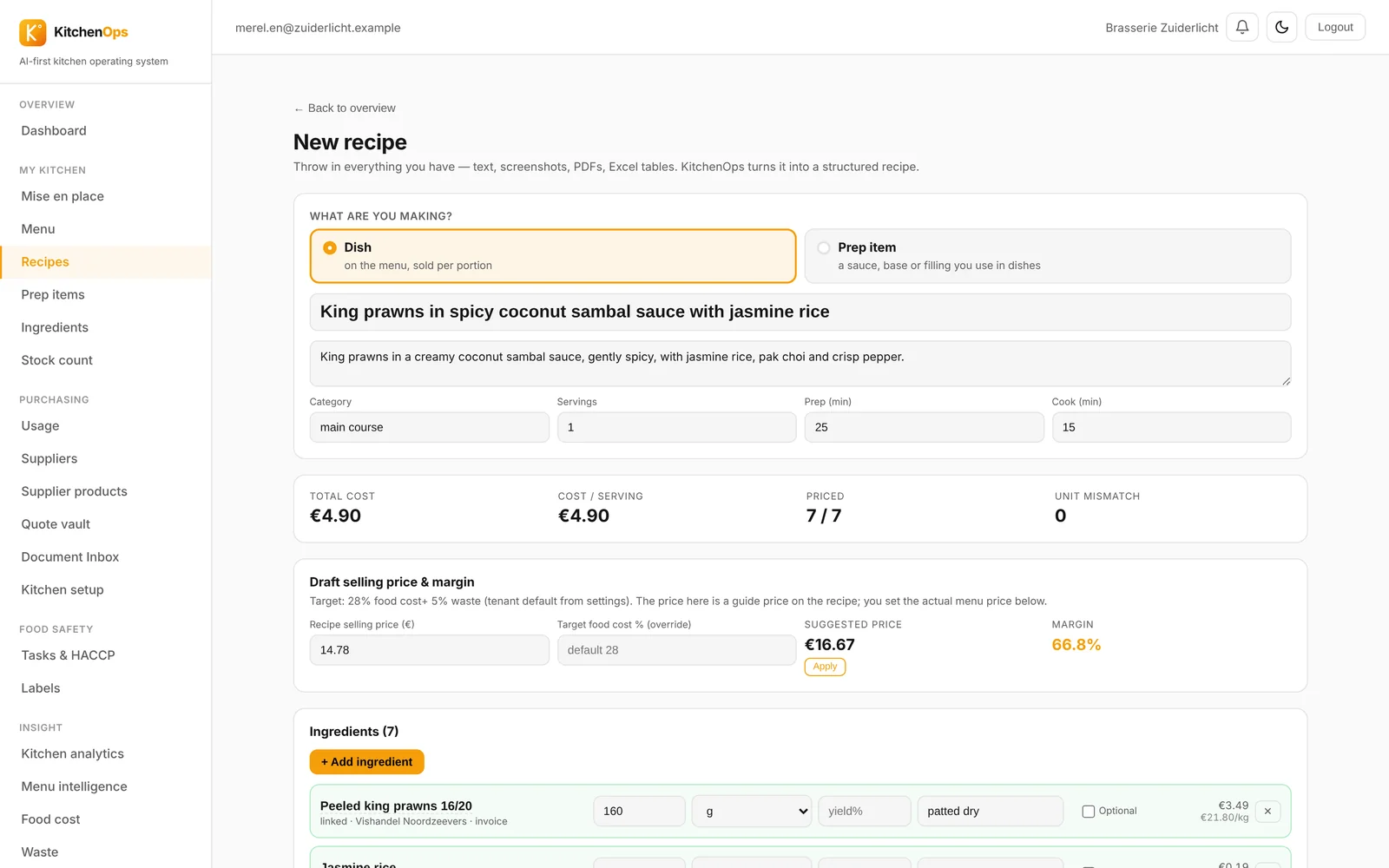
Ingredients with exact quantities, the prep steps, the yield and portion count, allergens, and a photo of the plate the way it should look. KitchenOps adds the food cost per portion on top, which updates automatically with your purchase prices, plus the margin at your current selling price.

New dishes in minutes

Describe a dish or take a photo of it, and the system builds the recipe card: ingredients, prep steps, allergens and the food cost based on your own purchase prices. You decide what the final version says, but you no longer have to do the data entry yourself. What normally takes an evening at the kitchen table now takes minutes.

From recipe card to the kitchen floor

Recipes scale with the number of portions, decimals included, and feed straight into your mise en place lists and production. When you pack something up, you print a best-before label with the product name, date and prep cook's name on it, so your HACCP records are correct straight away with no extra work.

Frequently asked questions

Can I bring over my existing recipes?

Yes. We import from PDF, Word, Excel, and even from a photo of a printed recipe binder. In practice, a full menu is up and running in an afternoon, including the link to your purchase prices.

Can my team see the recipes on the kitchen floor?

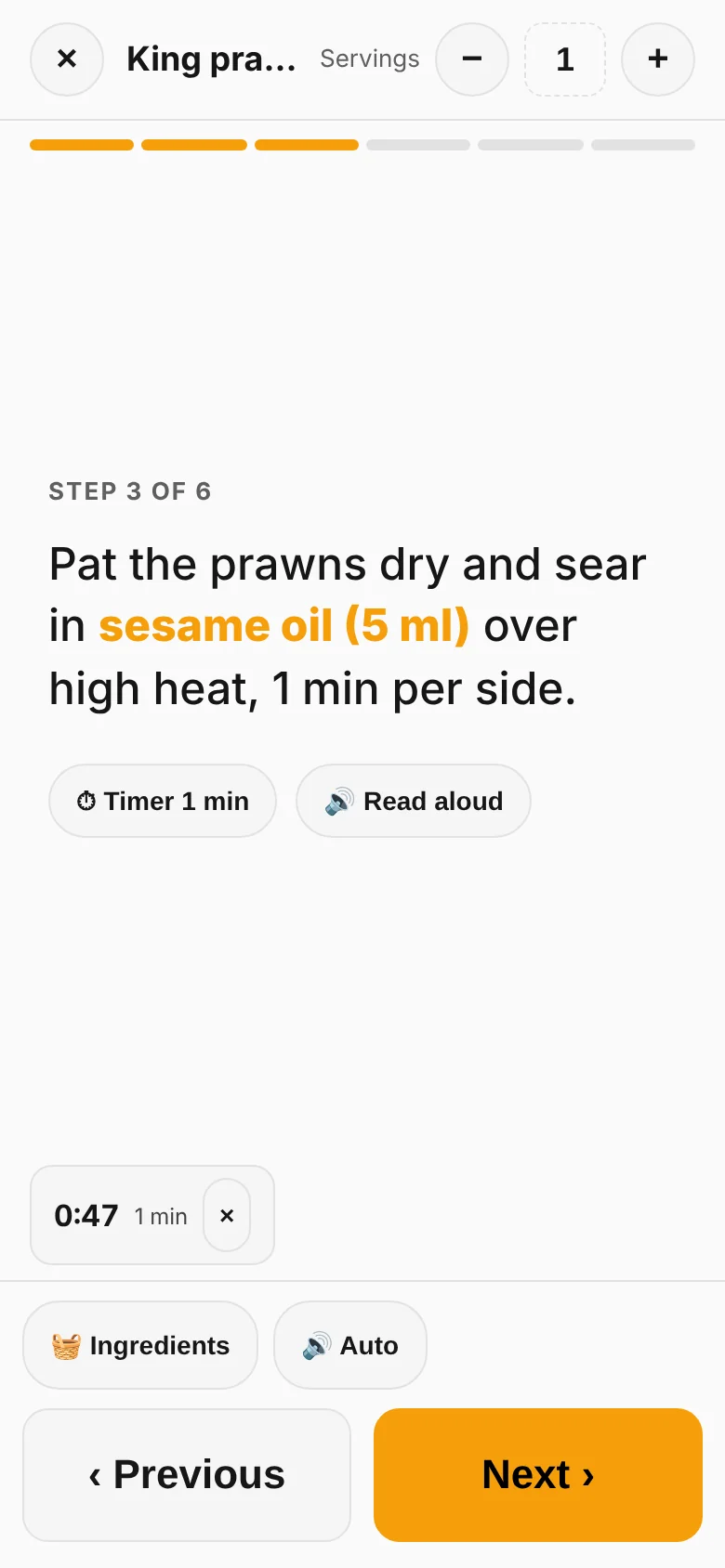
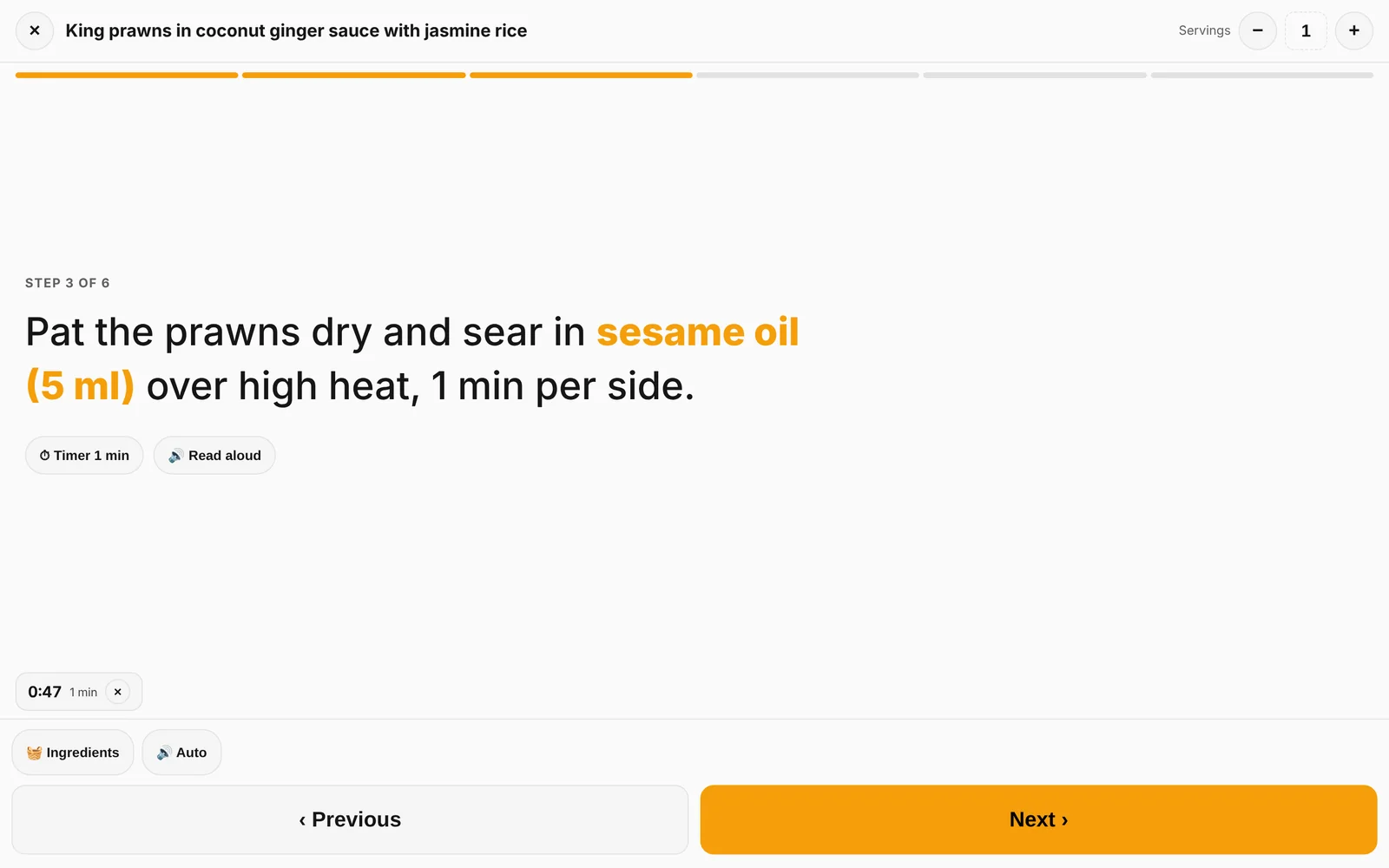
Yes, on a tablet or phone in the kitchen, with a cook mode that shows the steps large on screen and recalculates quantities for the number of portions you're making.

Are allergens tracked automatically?

Allergens are set at the ingredient level and roll through into every dish that uses that ingredient, including semi-prepared components. Change an ingredient, and the allergen list updates for every dish that depends on it.

What does recipe management software cost?

KitchenOps starts at 79 euros per month per location, with unlimited users included. You can start for free and run it alongside your current way of working.

Read more
Cost calculationHACCPMenu engineeringCompare

Updated: 2026-08-09

Want to see what your dishes really earn?

Fifteen minutes, with your own menu. No obligation, starting is free.